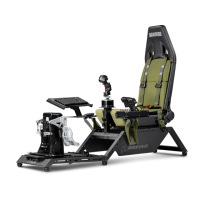
Need help?
Do you have a question about the Next Level Racing Flight Simulator Boeing Commercial Edition and is the answer not in the manual?
Essential checks and safety warnings before starting assembly.
Lists all included parts for the flight simulator cockpit.
Assembling the main frame, pedal mounts, and cross members.
Attaching side panels and cross member to the frame.
Installing the seat and adjusting seat sliders.
Attaching the left and right side arms to the frame.
Mounting the mouse and flight plates to the side arms.
Installing optional HOTAS controls onto the cockpit.
Assembling and installing the central pole system.
Installing the central yoke mounting plate.
Installing the optional Turtle Beach adaptor.
Installing the Boeing yoke and clamp plate.
Installing the central keyboard mounting plate.
Installing seatbelt and adjustable feet for the cockpit.
Installing the optional support bracket for specific yokes.
Installing the centre pole with the support bracket.
Mounting the keyboard plate to the side of the cockpit.
Installing the optional straight side arm and mouse plate.
Adjusting the angle of the pedal plate.
Adjusting the height and angle of the HOTAS pole.
Adjusting the height and angle of the central pole.
Installing the optional TPR rudder system.
Installing the Buttkicker pole for audio feedback.
Installing mouse and keyboard mats for surface protection.
Important safety precautions for assembly and use.
Contact information for product support.
 General
| Brand | Next Level Racing |
|---|---|
| Model | Flight Simulator Boeing Commercial Edition |
| Category | Switch |
| Language | English |

 To Next Page