Radio
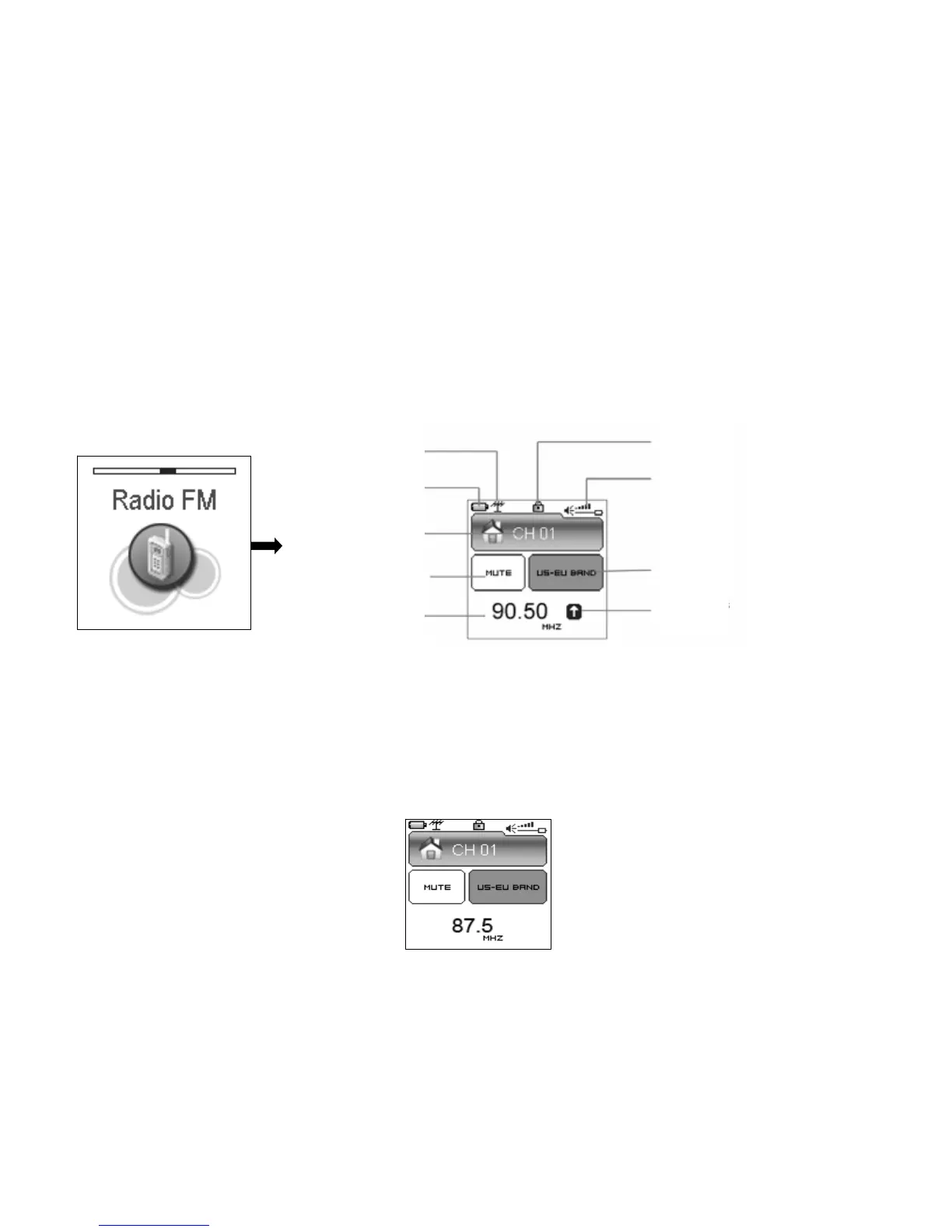
Press rewind button or fast forward button in the main menu to select FM Radio function and
press play button to enter FM Radio play function.
Locked state
Current function
Volume
24
AUTOSCANNIN
(1) Up to 20 radio stations can be stored in the radio.
(2) 2 radio bands: US-EU band(87~108MHz),Japan band(76~91MHz),which can be set
in setting menu.
(3) Auto scan function: enter the setting menu, push the or to select YES, Press
the to begin scanning. It will play at the first station after scanning out all the
stations in this FM band.
Power level
Pre-set radio
Radio band
FM audio output
Band scanning
Current channel


 To Next Page
 Loading...