47
Standard Top
Motorized Swivel Top
Bottom
38”
37”
36”
35”
34”
33”
29”
30”
31”
32”
28”
27”
26”
25”
24”
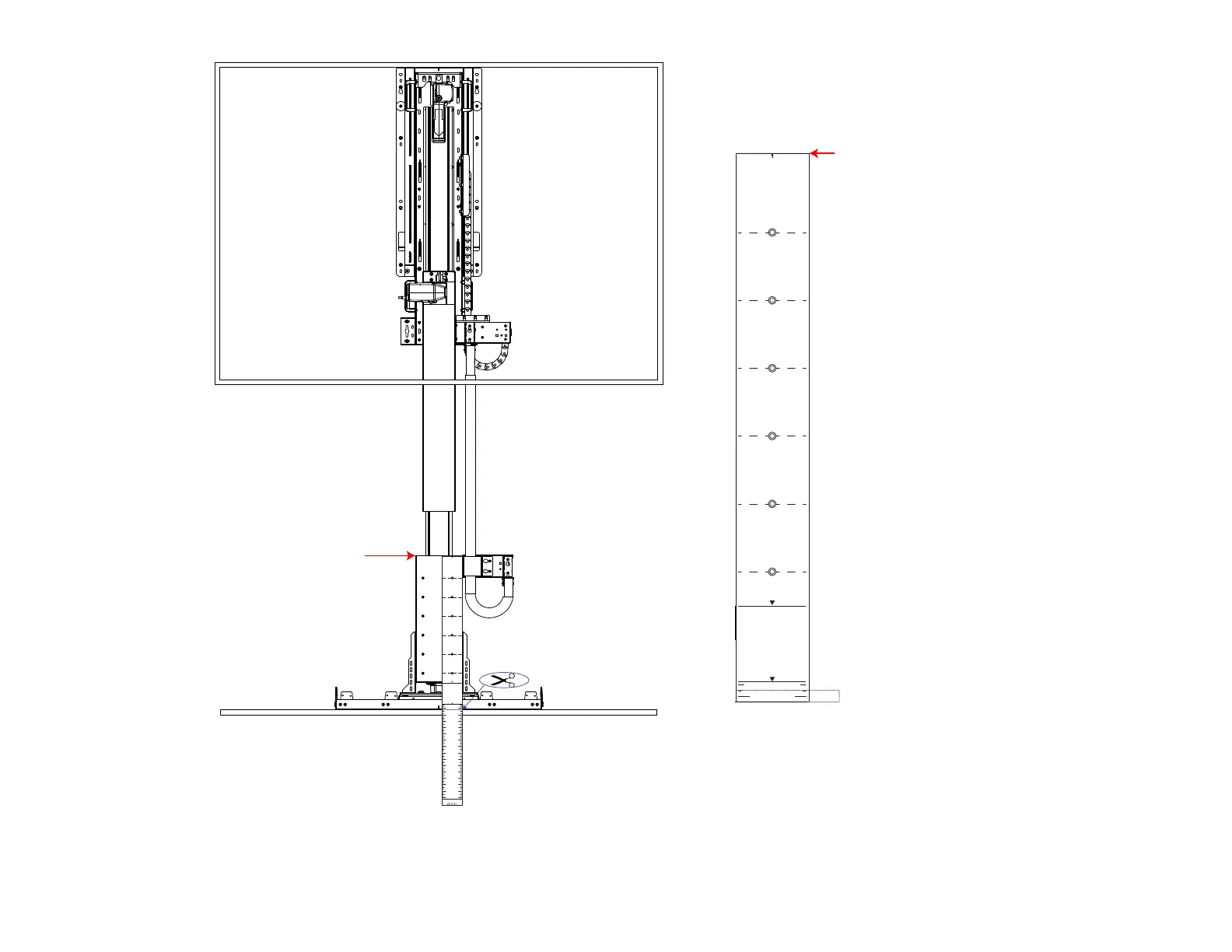
TV Mounting Template
Standard Top
Motorized Swivel Top
Bottom
24”
1/2”
Line up with the top of the screen support
Top of Screen Support
32a. Lower the Lift System by pressing the Down Button, align the template with the screen support holes, then fold or cut the template to be flush with the bottom of the Ceiling
Cover Plate.
Note: The TV Mounting Template will be used Upside Down for this. Ensure the line that says bottom is lined up with the top of the Screen Support.
32b. Measure 1/2” from the new bottom of the template and draw a line. This line indicates the position for where the bottom of the TV will be.



 To Next Page