Suitable places: small and medium-sized performances, bars and other places
Working environment: indoor (minus 10 to minus 35 degrees)
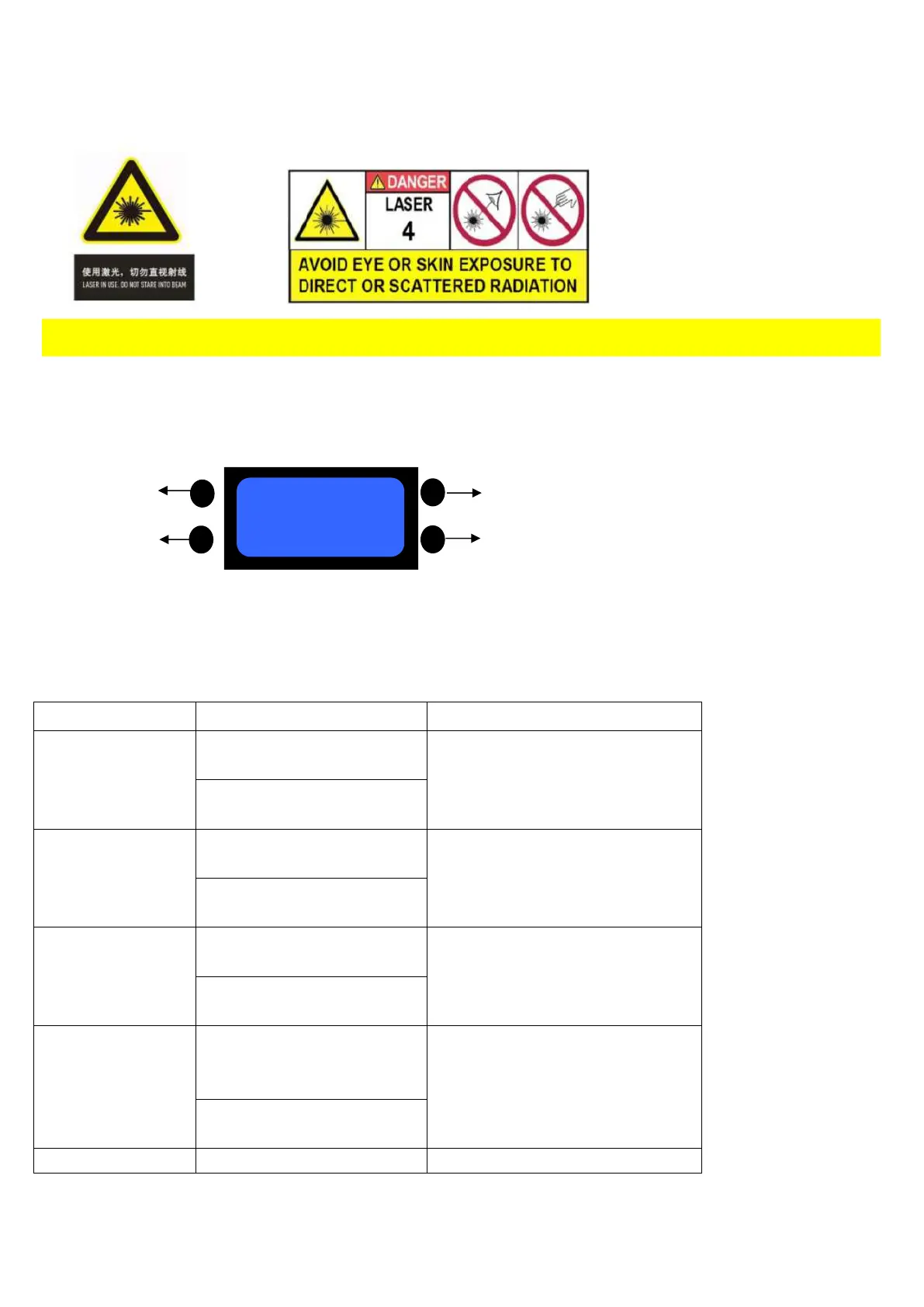
Warning!!!! Do not look directly at the light beam at close range to avoid eye damage!
LCD display panel:
Mode UP
ESC DOWN
Using touch keys and LCD Menu display, it is easy to use menu operation .The automatic loading system
software ,after which will show software version .
Through the UP and DOWN key to select the function. The Mode Key is to determine the functions. Press ESC keys is
to return to the level menu.
LCD function menu setting
1、DMX-512
DMX-512-function
Running
(running DMX-512 function)
2、Auto
(Automatic
function)
Running
(automatic function)
Effect1、2、3
(Selecting Effect 1,2,3)
3、Music
(Music control
function )
Running
(Running sound function)
Effect1、2、3
(Selecting Effect 1,2,3)
4、Testing
Testing function
Running
(Running Testing function)
Test 1、 2、 3
Select Testing pattern


 To Next Page
 Loading...