5
AUTO SLEEP AND WAKE UP FEATURE
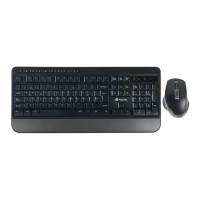
The keyboard also have an auto sleep and wake up feature.
Withinthreeminutes,ifhavingnokeypressed,thekeyboard
will automatically go into sleep mode. In sleep mode, all lights
extinguishedstate.Theusercanpressanykeyofmouseright,
mouse left, lock key.
SWITCHING OFF THE KEYBOARD
AFTER USE
After using the keyboard, push the switch to the “OFF” position.
This turns off the keyboard. The USB receiver does not need to
bepulledoutfromthePC.Youcanuseitdirectlynexttime.
If at any time in the future you should need to dispose of this
productpleasenotethat:
Wasteelectricalproductsshouldnotbedisposedofwith
householdwaste.Pleaserecyclewherefacilitiesexist.
Check with your Local Authority or retailer for recycling advice.
(WasteElectricalandElectronicEquipmentDirective)
HEREBY, LURBE GRUP S.A, DECLARES THAT THIS AIR
MOUSE+KEYBOARDISINCOMPLIANCEWITHTHE
ESSENTIAL REQUIREMENTS AND OTHER RELEVANT
PROVISIONSOFDIRECTIVE1999/5/EC.



 To Next Page