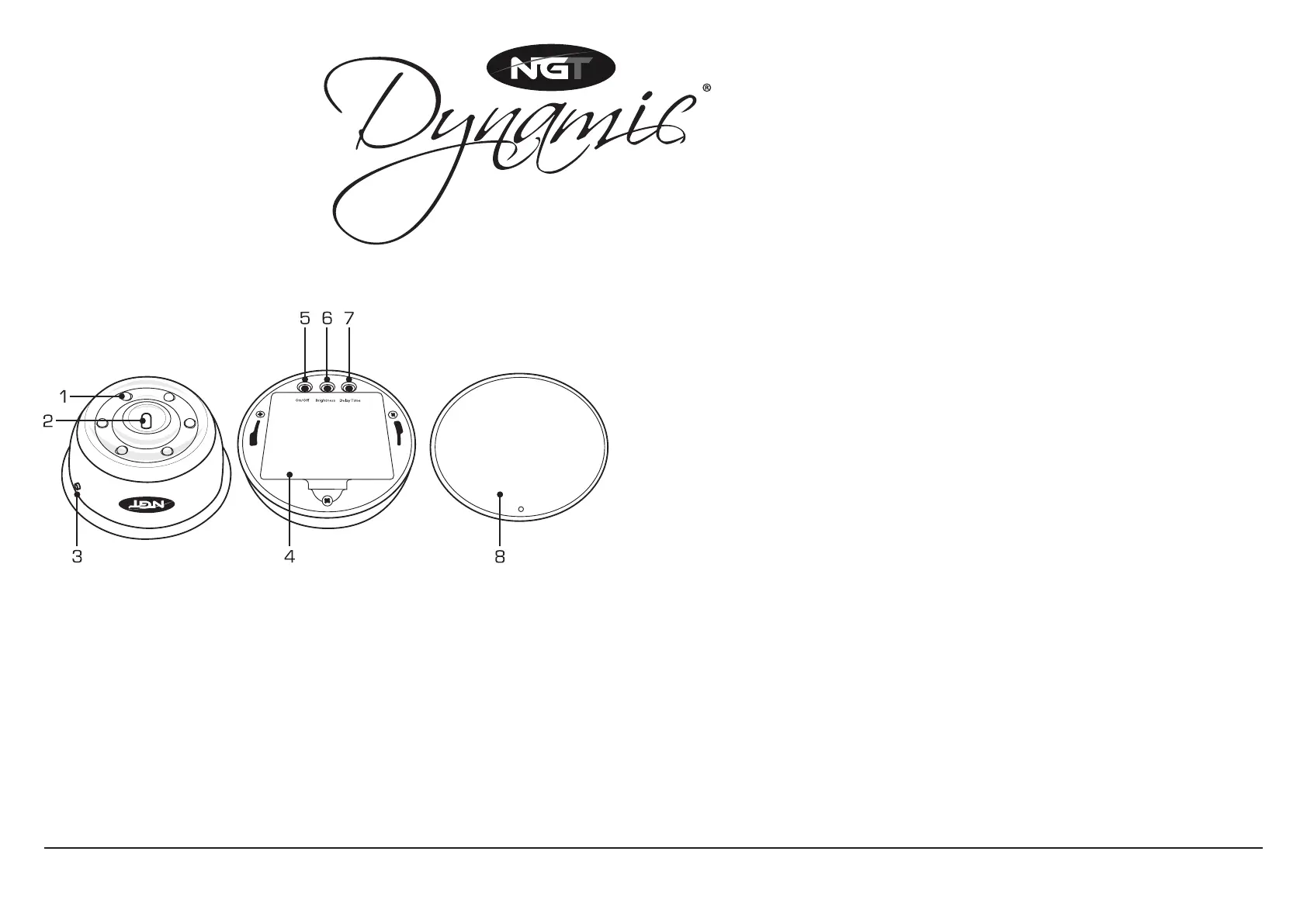
ITEM LIST
1 White LED Lights
2 Multi-colour LED Light
3 LED On/Off Button
4 Battery Panel
5 On/Off Button
6 Brightness Setting Button
7 Delay Time Button
8 Back Panel
OPERATING INSTRUCTIONS
Step 1 Remove magnetic bottom plate and lightly twist off bottom cover
until it comes loose.
Step 2 Remove battery cover, insert 3 x AA batteries and reinstate cover.
Step 3 Turn on power by holding the on/off button for 2 seconds.
Step 4 If required, adjust brightness by pressing the brightness button.
Step 5 Attach to bivvy using magnetic plate on the bottom of the light.
SYNCHRONISING RECEIVER LIGHT WITH BITE ALARMS
Step 1 Turn all bite alarms on to see the colour of each alarm.
Step 2 Remove bottom cover to reveal setting switches.
Step 3 Hold On/off + Delay Time buttons until the light turns on
with the coloured central LED light illuminated.
Step 4 Roll roller on matching colour LED lights.
Step 5 Press Delay Time button to switch to next bite alarm colour.
Step 6 Repeat above process to synchronise each alarm with the light.
Step 7 Turn everything off and on to store settings.
For technical support contact: info@nextgenerationtackle.com
RECEIVER BIVVY LIGHT
B
R
I
G
H
T
N
E
S
S
A
D
J
U
S
T
D
E
L
A
Y
T
I
M
E
A
D
J
U
S
T
M
U
L
T
I
-
C
O
L
O
U
R
I
N
D
I
C
A
T
O
R
L
E
D


 To Previous Page
 Loading...