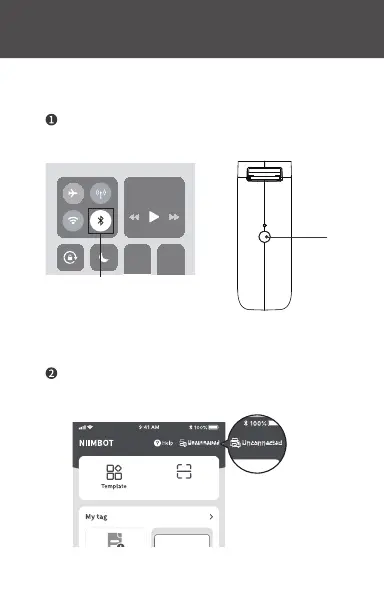
On your phone or device, turn Bluetooth on. Then
start up the printer, and open the app.
Press the [Unconnected] button on the right corner
of the app, and then click [Search Device].
Switch on the Bluetooth
Long press the switch button
to activate the label printer
Switch
Press the
"Unconnected" button
10
scanning
More



 To Next Page