19
Other Functions
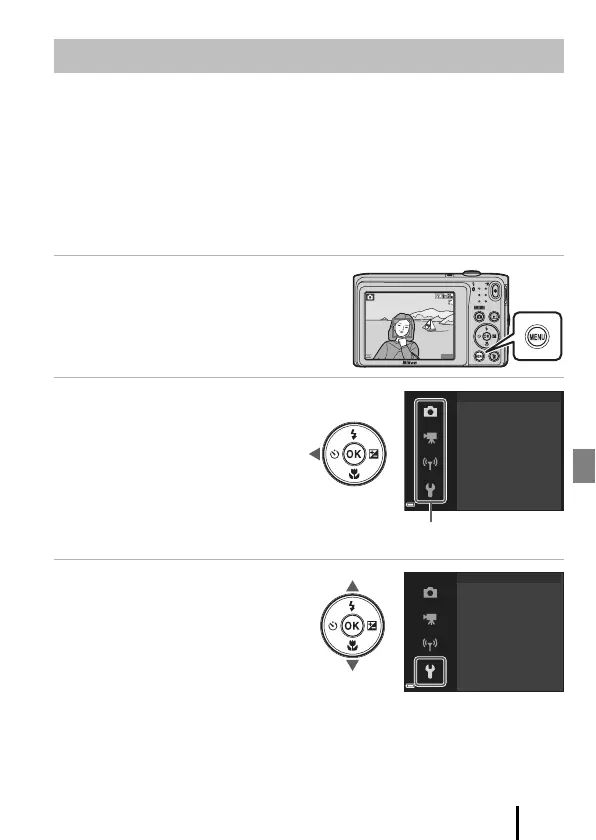
You can set the menus listed below by pressing the d (menu) button.
• A Shooting menu
1, 2
• D Movie menu
1
• G Playback menu
3
• J Network menu
• z Setup menu
1
Press the d button when the shooting screen is displayed.
2
Menu icons and available setting options vary depending on the shooting mode.
3
Press the d button when the playback screen is displayed.
1 Press the d (menu) button.
• The menu is displayed.
2 Press the multi selector J.
• The current menu icon is
displayed in yellow.
3 Select a menu icon and
press the k button.
• The menu options become
selectable.
Menu Operations
1400
8
m
0s
Image mode
White balance
Continuous
ISO sensitivity
AF area mode
Autofocus mode
Shooting menu
Time zone and date
Monitor settings
Date stamp
Photo VR
AF assist
Digital zoom
Set up



 To Next Page
 Loading...











