9
Basic Operations/Displaying the Help
Introduction
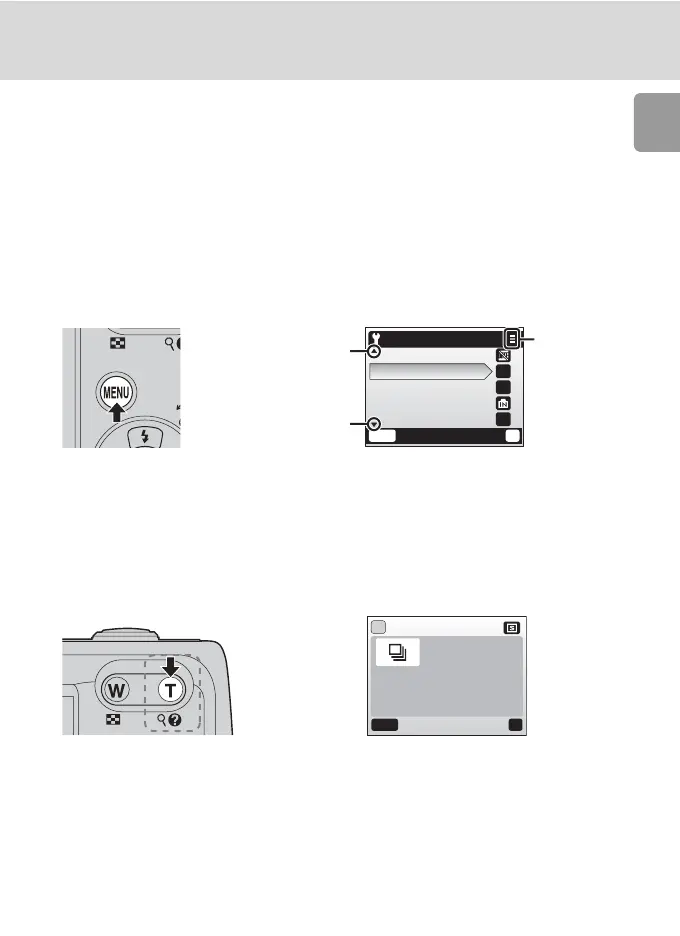
MENU Button
When m is pressed, the following menus are displayed according to the
mode which has been selected.
L : Auto mode → Shooting menu (c 72)
b : Scene mode → Scene menu (c 31)
T : Movie mode → Movie menu (c 54)
A : One-touch portrait mode → One-touch portrait menu (c 46)
i : Playback mode → Playback menu (c 82)
To display the setup menu (c 88), choose [Set up] at the top of all menus.
Help Displays
Press l (v) to view a description of the currently selected item.
Pressing G or H shows the previous or next menu item. Press d while the
help dialog is displayed to apply the setting.
MENU
Exit
--
--
1m
?
Set up
Date imprint
Sound settings
Auto off
Format memory
Language
Displayed when there
are one or more previ-
ous menu items.
Displayed when there
are one or more menu
items to follow.
Displayed
when the
menu con-
tains two
or more
pages.
Continuous
Keep the
shutter-release button
pressed to take
pictures continuously.
MENU
Exit
?
?



 To Next Page
 Loading...











