14
Preparation for Shooting
Setting Display Language, Date, and Time
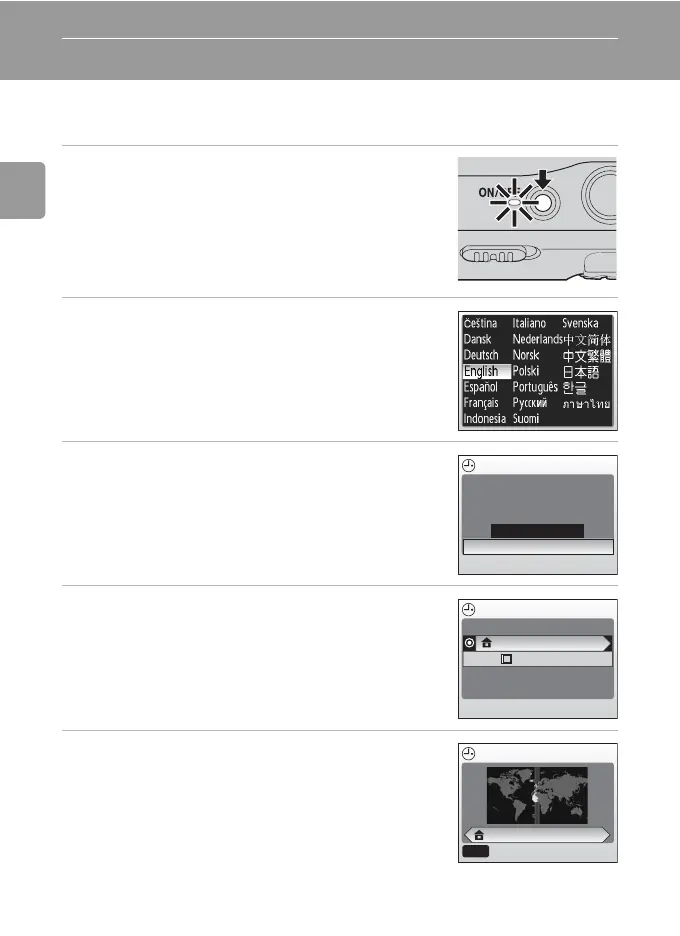
A language-selection dialog is displayed the first time the camera is turned
on.
1 Turn on the camera.
• The power-on lamp (green) will light and the moni-
tor will turn on.
2 Press the multi selector G, H, I or J
to choose the desired language and
press d.
• For information on using the multi selector, see
“Multi Selector” (c 8).
3 Press G or H to choose [Yes] and press
d.
• If [No] is selected, the date and time will not be set.
4 Press J.
• The [Home time zone] menu is displayed.
• If daylight saving time is in effect, see “Daylight
Saving Time” on the next page.
5 Press I or J to choose your home time
zone and press d.
• The [Date] menu is displayed.
Date
No
Ye s
Set time and date?
Time zone
London, Casablanca
DaylightSaving
Home time zone
London, Casablanca
MENU
Back



 To Next Page
 Loading...











