122
Recording Movies
Movie Recording and Playback
Using the Movie Menu
The options below can be set in the movie menu.
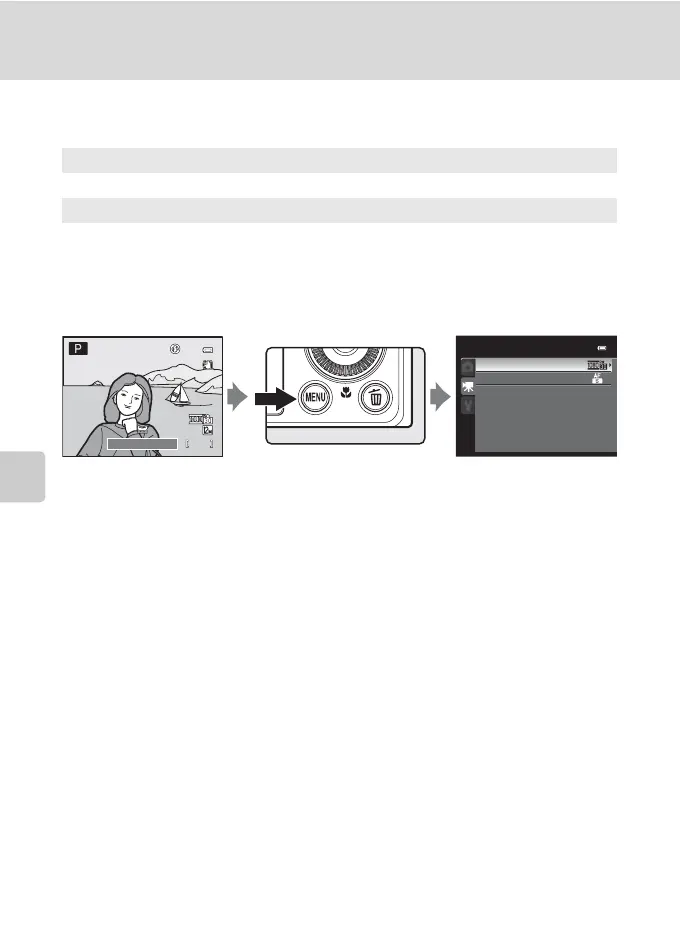
Displaying the Movie Menu
Press the d button in the shooting mode to display the menu, use the rotary
multi selector to change to the D tab and display the movie menu (A11).
• Use the rotary multi selector to select items and set functions on the menu
(A10).
• Press the d button to exit the movie menu.
Movie options
A123
Select the desired movie option to record.
Autofocus mode
A125
Choose how the camera focuses when recording movies.
Movie
Movie options
Autofocus mode
1/250
1/250 F5.6
F5.6
1342
1342



 To Next Page
 Loading...










