34
Basic Photography and Playback: A (Auto) Mode
Using the Basic Shooting Functions
m Flash Mode
Flash mode can be selected to suit the shooting conditions.
• When ISO sensitivity is set to Auto, the flash has a range of 0.5–4.5 m (1 ft.
8 in.–14 ft.) at the maximum wide-angle zoom position and a range of 0.5–2.2 m
(1 ft. 8 in.–7 ft. 3 in.) at the maximum telephoto zoom position.
Setting the Flash Mode
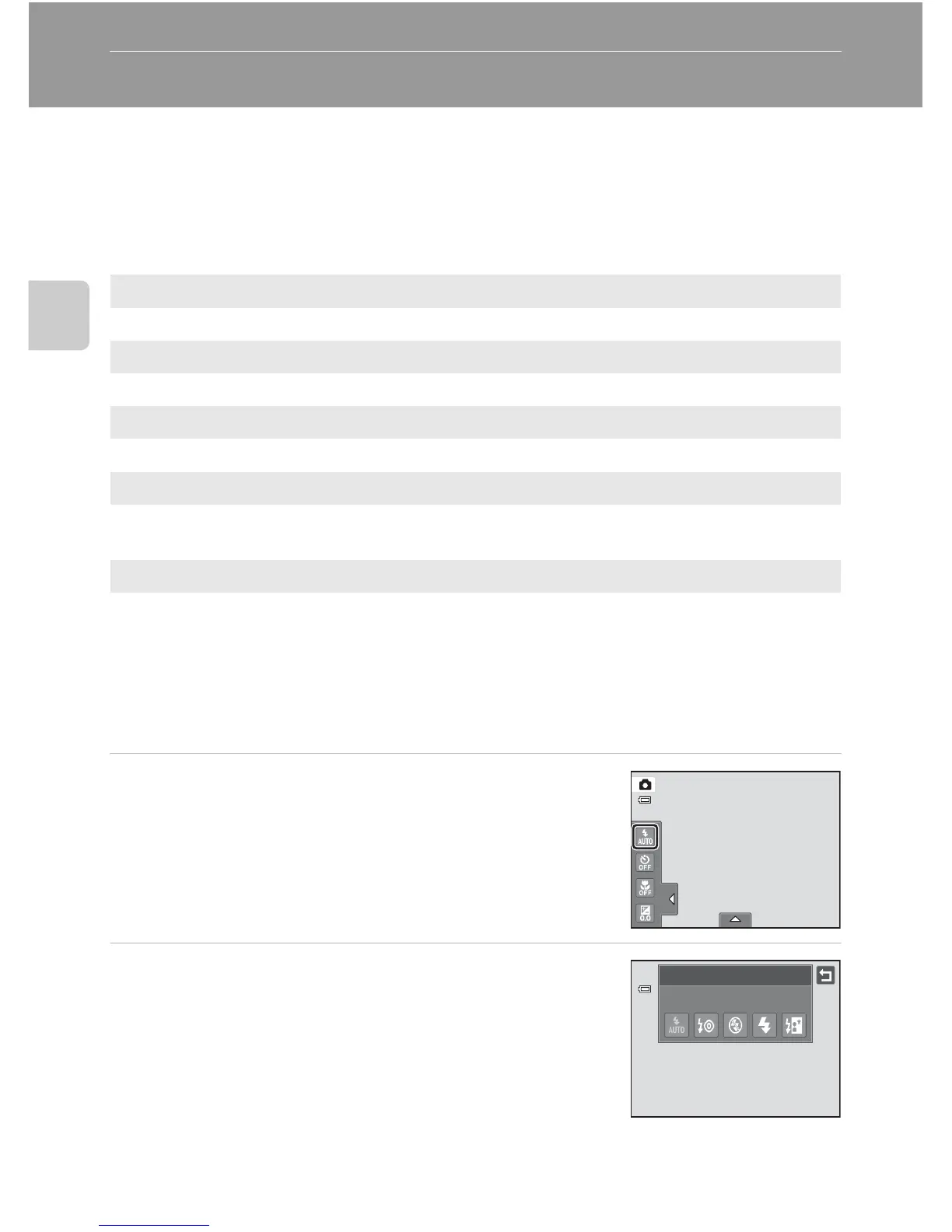
1 Tap the left tab to display the setting controls
(A 14) and tap the flash mode icon.
2 Tap the desired flash mode icon.
Tap J to return to the previous screen.
To hide the setting controls after applying the setting, tap
the tab again.
a
Auto
Flash fires automatically when lighting is poor.
b
Auto with red-eye reduction
Reduce “red-eye” in portraits (A 35).
c
Off
Flash will not fire even when lighting is poor.
X
Fill flash
Flash fires whenever a picture is taken. Use to “fill-in” (illuminate) shadows and
backlit subjects.
d
Slow sync
a (auto) is combined with slow shutter speed.
Suited to evening and night portraits that include background scenery.
Flash illuminates main subject; slow shutter speeds are used to capture
background at night or under dim lighting.
Flash mode
Auto



 To Next Page
 Loading...












