39
Using the Basic Shooting Functions
Basic Photography and Playback: A (Auto) Mode
o Changing the Brightness Using Exposure Compensation
Exposure compensation is used to alter exposure from the value suggested by the
camera to make pictures brighter or darker.
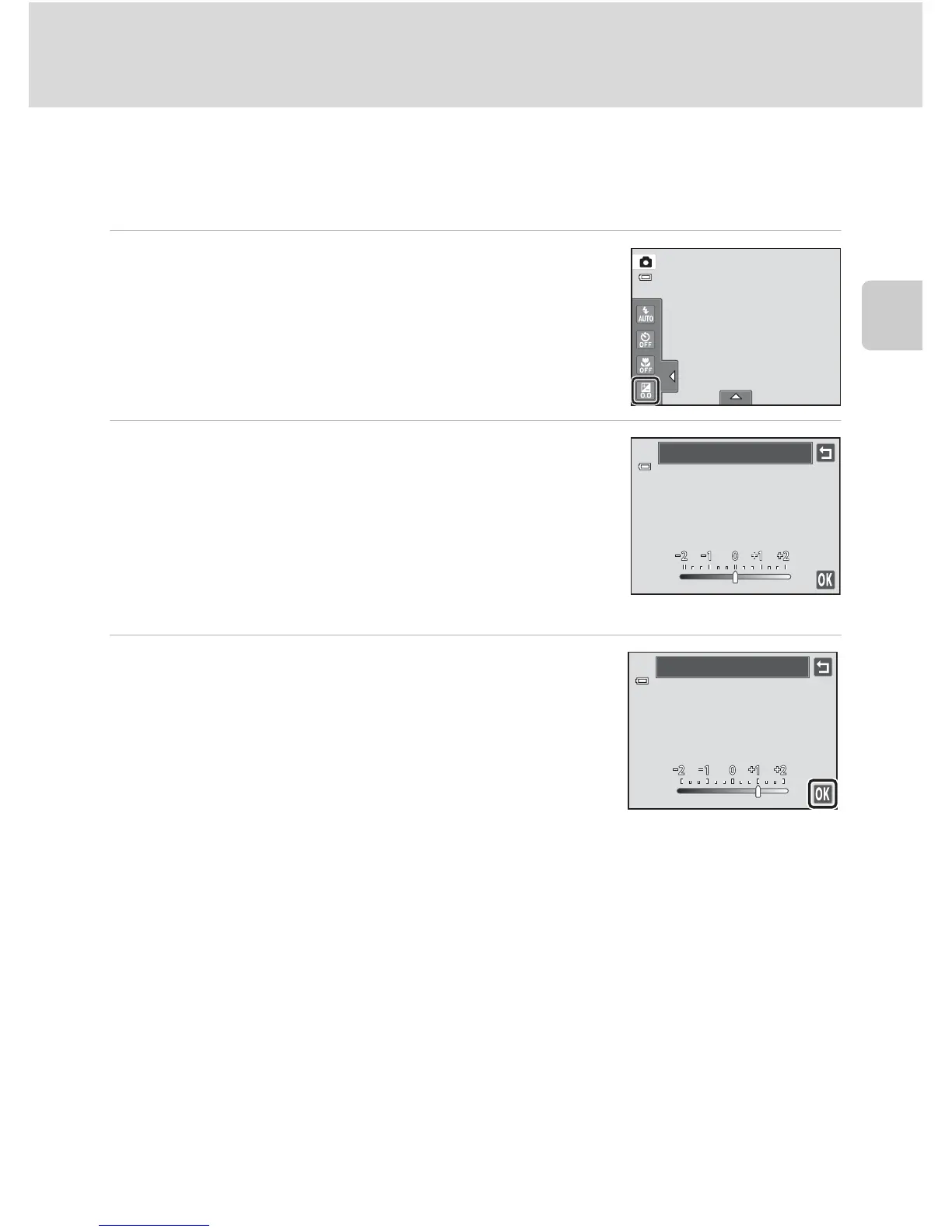
1 Tap the left tab to display the setting controls
(A 14) and tap the exposure compensation
icon.
2 Drag the slider to change the exposure
compensation value.
To make the picture brighter, apply positive (+) exposure
compensation.
To make the picture darker, apply negative (–) exposure
compensation.
Tap J to return to the previous screen.
3 Tap I.
To hide the setting controls after applying the setting, tap
the tab again.
To cancel the exposure compensation, return to step 1,
revert the value to 0, and tap I.
C Exposure Compensation Value
The exposure compensation value applied in A (auto) mode is stored in the camera’s memory even
after the camera is turned off.
Exposure compensation
Exposure compensation



 To Next Page
 Loading...












