48
Adjusting the A (Auto) Mode setting
More on Shooting
s Subject Tracking (Focusing on a Moving Subject)
In A (auto) mode (A 26), the touch shooting setting can be changed from
Touch shutter (default setting) to Subject tracking. Use this option to take
pictures of moving subjects. Tap the subject on which the camera will focus. The
focus area will automatically move to track the subject.
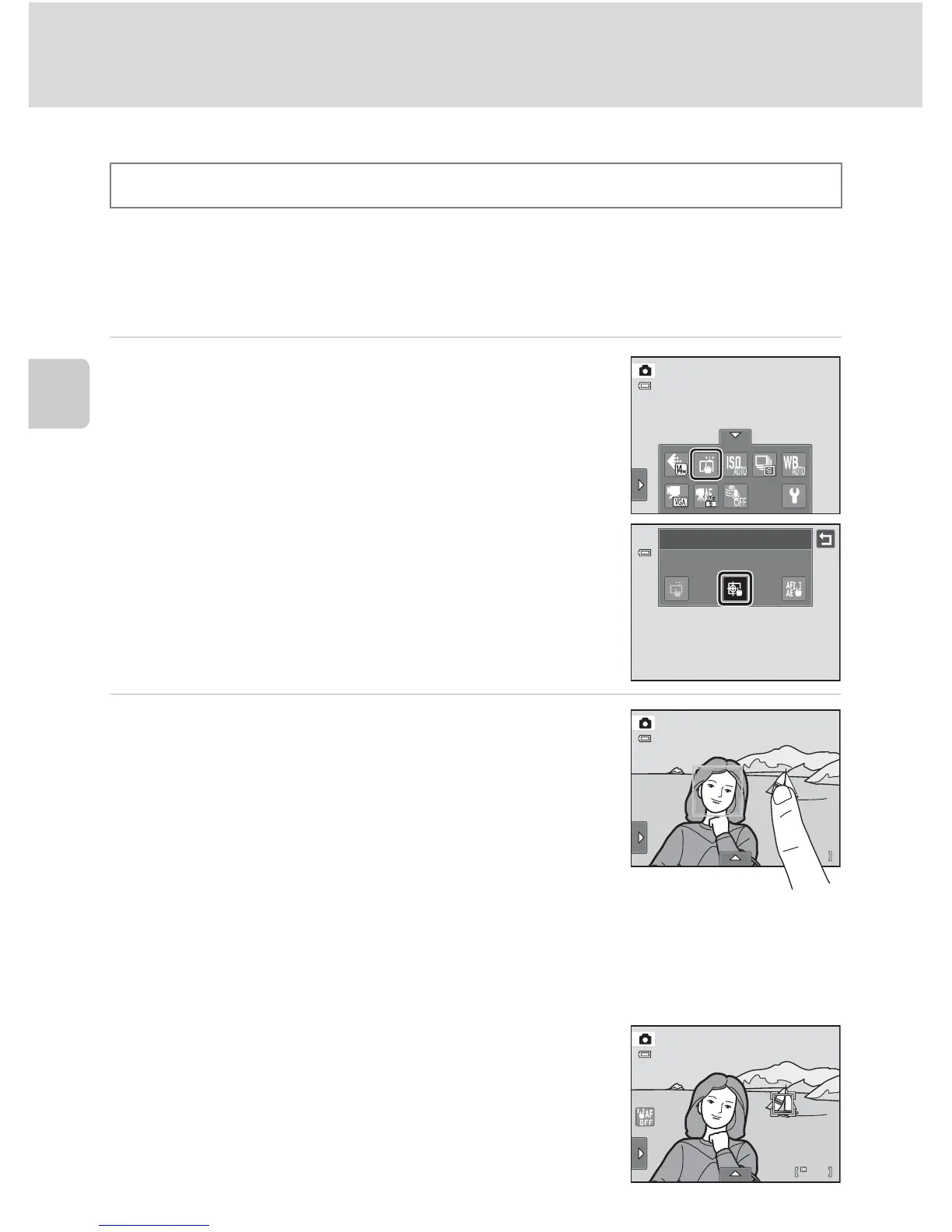
1 Tap the bottom tab, tap q/s/r (touch
shooting) (A 42), then tap s (subject
tracking).
s (subject tracking) is enabled only in A (auto) mode.
2 Register a subject.
Tap the desired tracking subject in the monitor.
- The subject is registered.
- When the camera detects any faces, tap a face framed
by a border to register it as the subject and begin
tracking. If the camera detects more than one face, the
borders around the faces that are not selected
disappear.
- When a subject other than a face is registered, a yellow
focus area is displayed on the subject and the camera begins tracking the subject.
- When the border framing the subject glows red, the camera is unable to focus.
Change the composition and try again.
If the tapped area does not contain a subject that can be registered, X is displayed in
the monitor. Tap a subject within X.
Tap another subject to change a subject to follow.
To cancel the registration of the subject, tap a,
displayed at left in the monitor.
If the camera cannot track the registered subject
anymore, the focus area will disappear and the
registration will be canceled. Register the subject again.
A (auto) M Tap the bottom tab M q/s/r Touch shooting
Touch shooting
Subject tracking



 To Next Page
 Loading...












