47
More on Playback
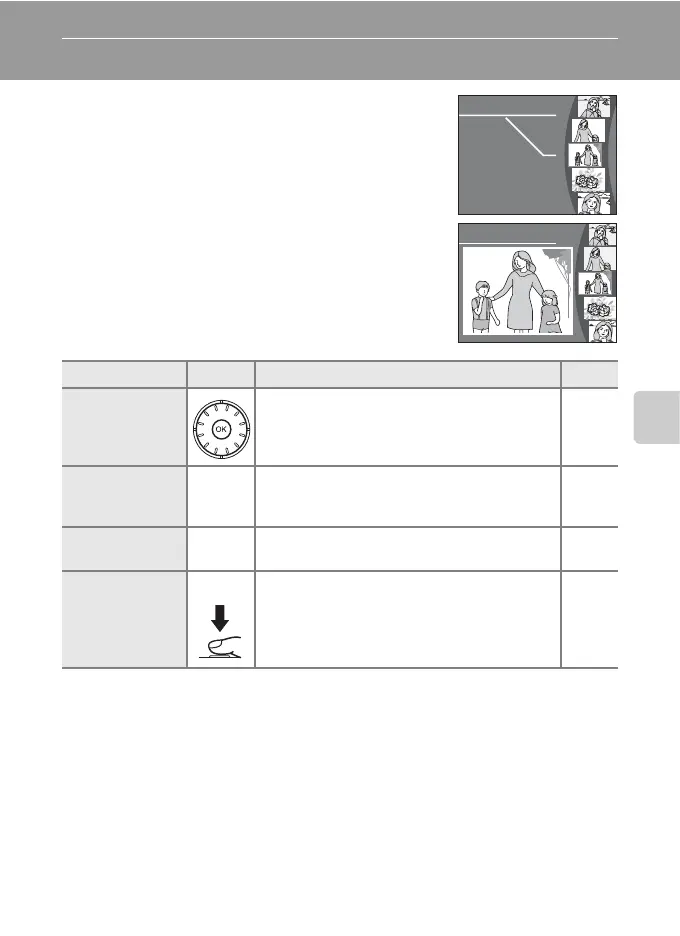
Viewing Multiple Pictures: Thumbnail Wheel Playback
Rotate the rotary multi selector in full-frame
playback (c 28) to display the thumbnail wheel.
The thumbnail wheel is displayed at the right of the
monitor. When a thumbnail is selected, the
thumbnail is displayed at the left of the monitor.
The following operations can be performed while
thumbnail wheel is displayed.
To Use Description c
Choose pictures
Rotate the rotary multi selector, or press the
rotary multi selector GH, to choose pictures.
11
Cancel
thumbnail
playback
d
v (k)
Press d or v (k) to cancel thumbnail
playback and return to full-frame playback.
28
D-Lighting A
Press A to enhance brightness and contrast
in dark portions of pictures.
50
Switch to
shooting mode
i
Press i or the shutter-release button to
return to the last shooting mode selected.
28
15/11/2007 0010
15/11/2007 0010
M
15/11/2007 0010
15/11/2007 0010
M



 To Next Page
 Loading...








