115
Editing Images
Image Editing
U Paint
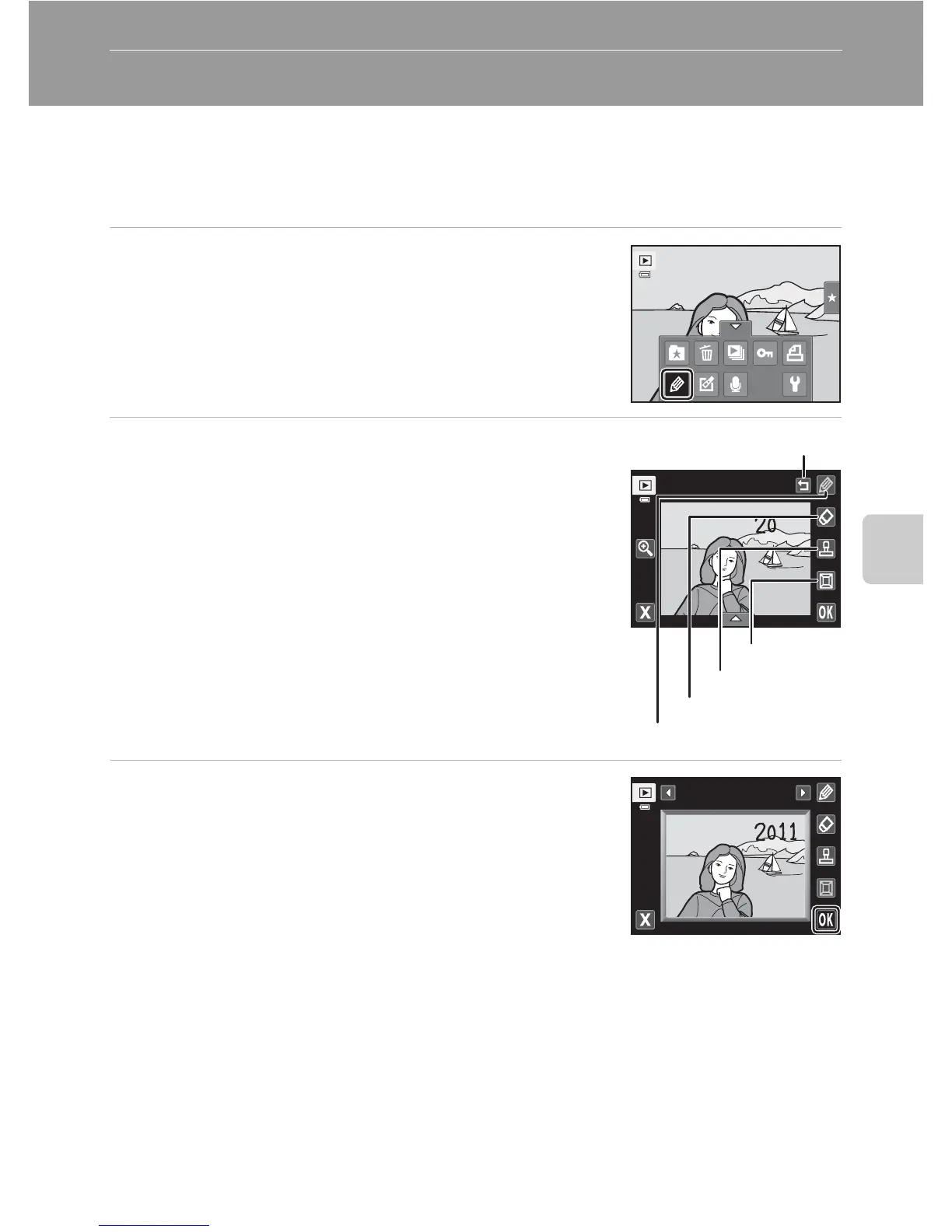
Draw on images or decorate them. Shooting date decoration can also be added.
Painted copies are saved as separate files.
1 Select an image in full-frame playback mode
(A 82), tap the bottom tab to display the
setting controls, and tap U.
2 Use the I, J, K, and L tools to paint
images.
For more information about using each tool, see “Write
and Draw on Images” (A 116).
Tap n to display the image in full-frame playback mode
and tap n again to enlarge the image display by 3×. Tap
A
,
D
,
B
, or
C
to change the portion of the image that
is displayed in the monitor. Tap o to return to the
original display size.
Tap J to undo the last operation applied using the pen,
eraser, or decoration tool (up to the last five operations
can be undone).
3 Tap I.
Pen
Pen
Eraser
Decoration
Frame
Undo
Fra me



 To Next Page
 Loading...












