171
Setup Menu
Basic Camera Setup
h Copy (Copy Between Internal Memory and Memory
Card)
Copy images between the internal memory and a memory card.
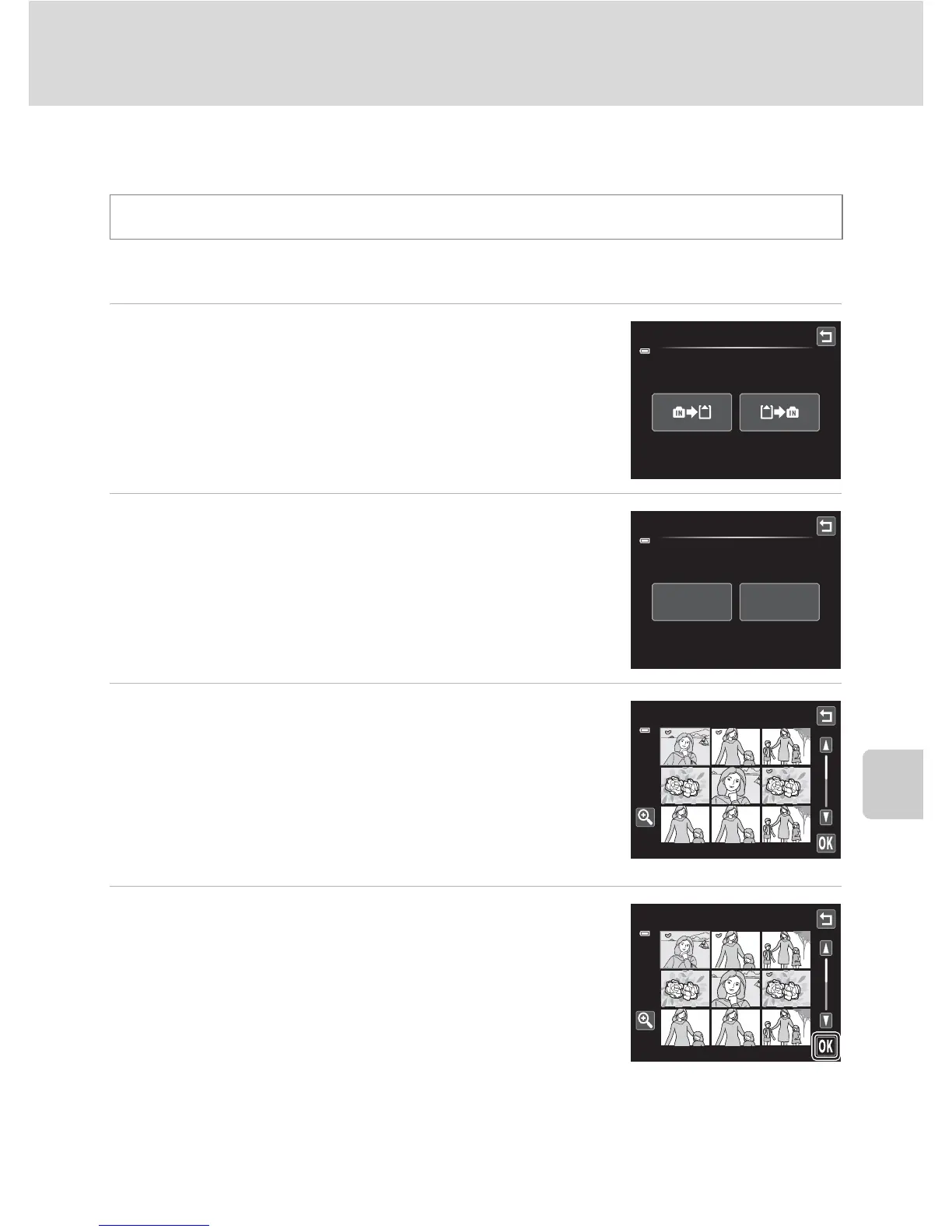
1 Tap the desired option from the copy screen.
q: Copy images from internal memory to memory
card.
r: Copy images from memory card to internal
memory.
2 Tap the desired copy option.
Selected images: Copy images selected. Proceed to
step 3.
All images: Copy all images. When a confirmation dialog
is displayed, tap Yes. Images are copied. To return to the
setup menu without copying, tap No.
3 Tap the images to be copied.
When an image is selected, a check mark is displayed. To
cancel the selection, tap the image again. A check mark is
removed.
Tap n or rotate the zoom control to g (i) to switch to
full-frame playback and tap o or rotate the zoom control
to f (h) to switch back to 9-thumbnail display.
4 Tap I.
When a confirmation dialog is displayed, tap Yes. Images
are copied. To return to the setup menu without copying,
tap No.
Tap the bottom tab (A 150) M Tap z (Setup menu) M h Copy
Copy
Camera to card
All images
Selected
images
Copy
Copy



 To Next Page
 Loading...












