7
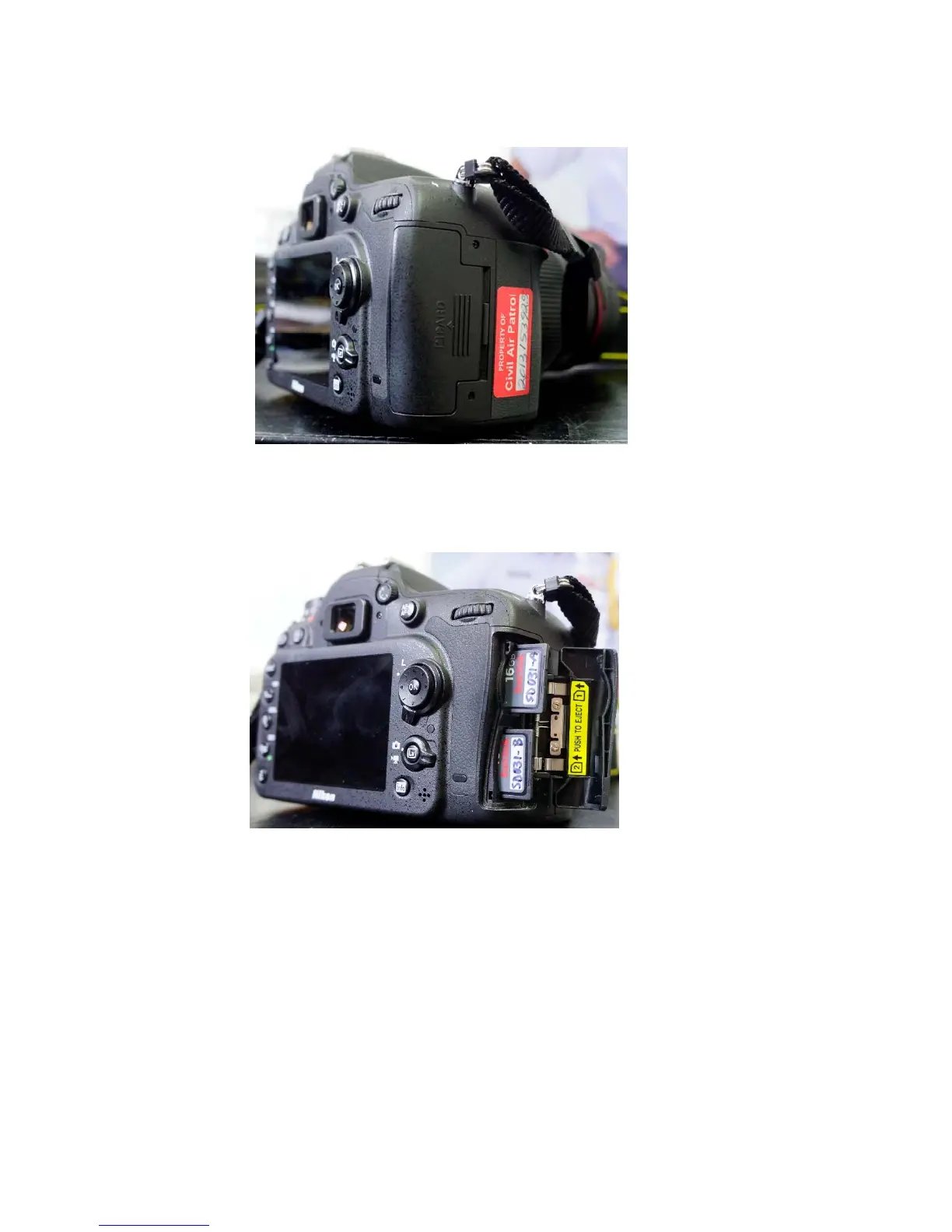
SideviewofcamerashowingdoorforSDCards
DooropenandSDcardshalfwayout–makesurethattheyarefullyinsertedandstayflushwiththe
camerabody.Thetopcardiswrittentofirst.
Thecameraholds2SDcards(16Ginthiscase).Intypicalusethetopcardrecordspicturesfirstand
whenitisfullthebottomcardisused.Alternatesettingsareavailablewherecopiesarekeptonboth
cardsorwhereonecardisusedforhighestqualitypictureandtheotherforalowerquality.These
optionsareaccessedthroughthemenu.Pressthe“menu”buttononthebackofthecamerathenselect
thecameraicon“ShootingMenu”usingthejoystick.Nextpressthejoystickrightandtoggledownto
“RoleplayedbycardinSlot2”.Togglerightandthethreeoptionswillshow.Select“overflow”formost
usesandpress“ok”incenterofjoysticktoconfirmsetting.Lightlypresstheshuttertogetoutofthe
menu.



 To Next Page