9
UsingtheGPS:
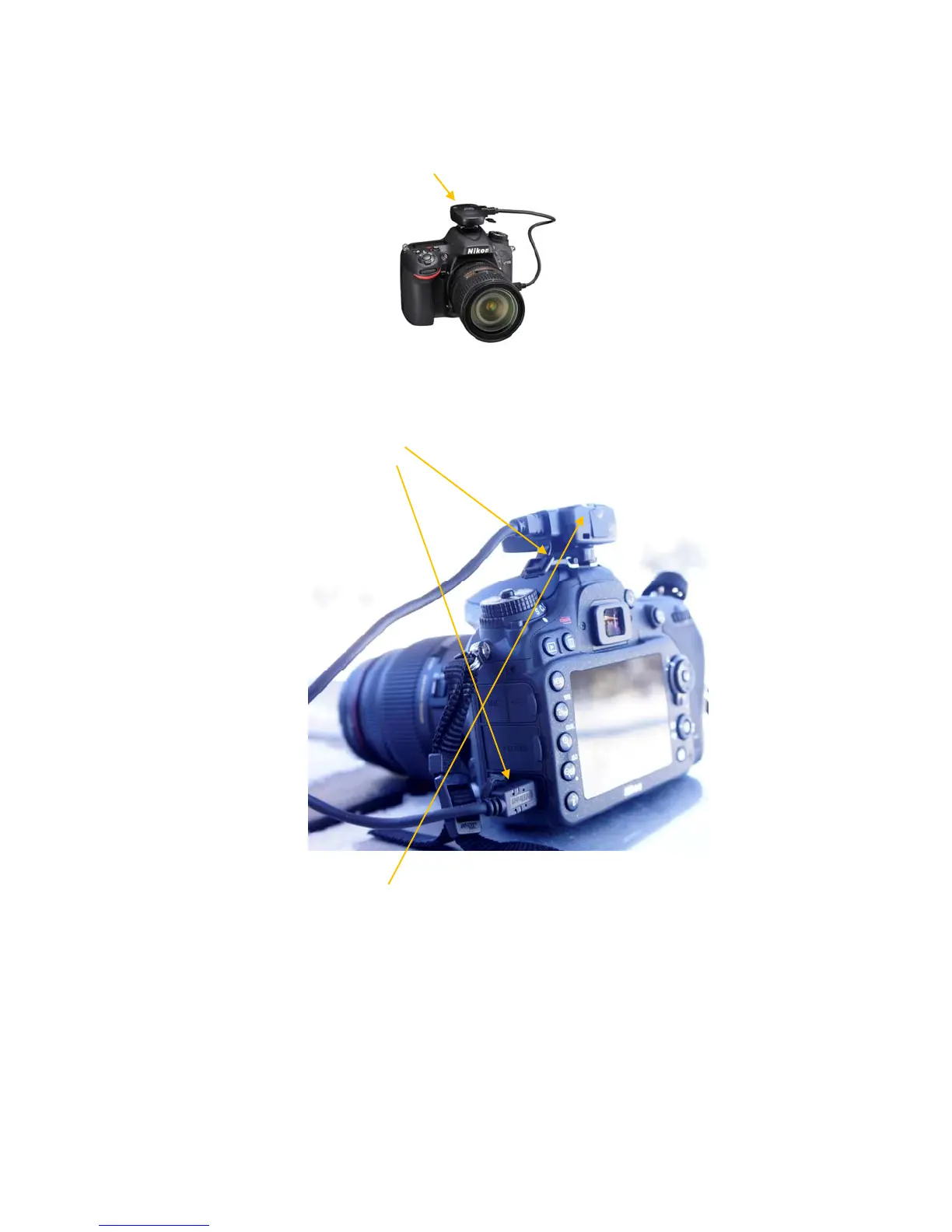
TheD‐7100kitincludestheNikonGP‐1aGPSmodulethatfitsintotheflashshoeontopofthe
camera.
TheGPSmustbemountedonthecamerainordertorecordlocationinformation
1. SlidetheGPSintothehotshoeslotontheverytopofthecamera.
2. Plugthecableintothereceptacleattheverybottomleftsideofthecamera.Ensurethat
theplugisfirmlypushedin.
3. Turnthecameraon.AredlightwillstartblinkingonthebackoftheGPSunit.OnceaGPS
signallockhasbeenachievedthelightwillturntosolidgreen(blinkinggreenmeansthatit
almosthasagoodlock).Youmayneedtotakethecameraoutsidewithaclearviewofthe
skyforabout5minutestogetagoodsignallock.



 To Next Page