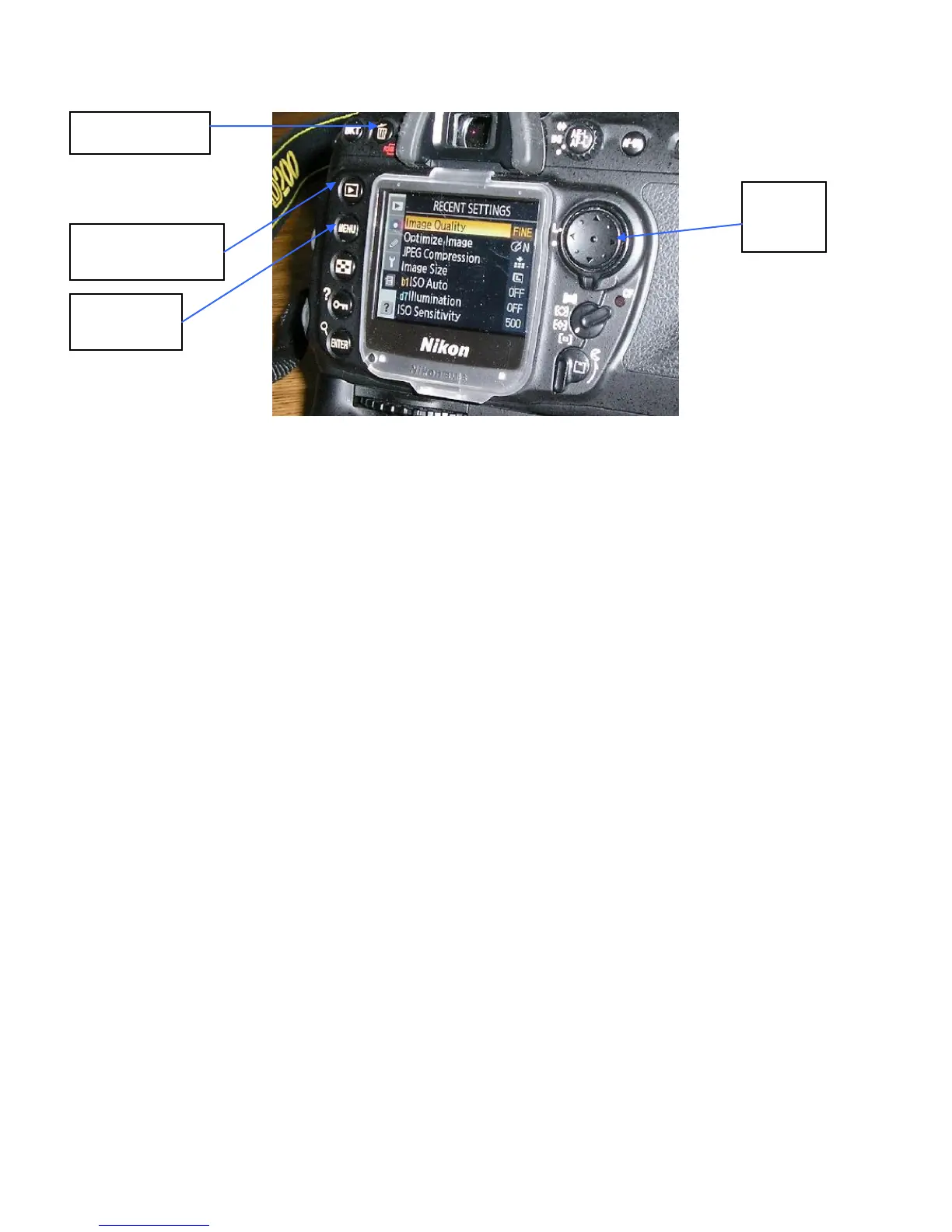
Take a test photo (adjust zoom as appropriate)
Check the photo
Press the push button to the upper left of the display screen [the one with
the right arrow inside of an outlined box] to view the photo. It should look
good.
Delete the photo you just took
Press the button that has a trash can icon on it [camera back upper left]
Press the trash can icon button a second time to do the delete
The display should now show “Folder Contains No Images”
Synchronize the Camera Clock with GPS Time
All times used during an aerial photography mission are to be in Universal Coordinated
Time (UCT) which is also referred to as Zulu time. This is the time at zero longitude.
The Garmin etrex GPS will already be setup to show UCT time unless someone has
changed it to local time. On the east coast of the US, local time is 5 hours earlier than
UCT during winter months and 4 hours earlier during daylight savings time. Therefore,
the time shown on the GPS should be later than local time by either 4 or 5 hours.
The camera will show the time zone as London, Casablanca UTC 0. See next page.
Synchronize the camera and etrex times as follows:



 To Next Page