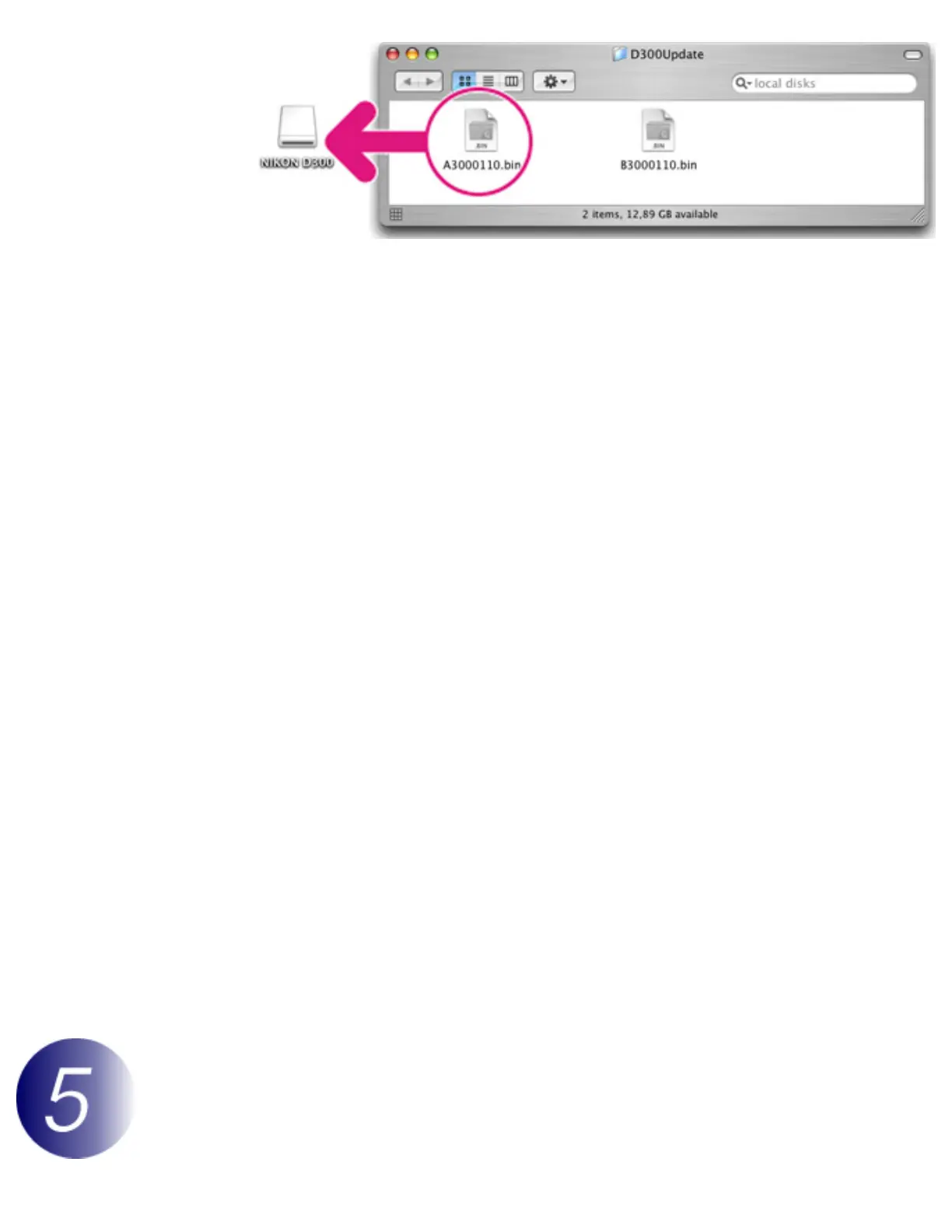
Illustration shows A firmware
5-2. When copying is complete, confirm that the “NIKON D300” volume contains
the “A3000110.bin” (A firmware) or “B3000110.bin” (B firmware).
6
Disconnect the camera from the computer.
For more information, see the camera
User's
Manual
.
Important
Be sure to copy the firmware to the root directory of the memory card. The camera will not
recognize the new firmware if it is placed in a folder under the root directory.
Card Reader
1
Connect the card reader to the computer and insert a formatted memory card.
If Nikon Transfer is installed, it will start automatically; to exit, select Quit
Nikon Transfer from the Nikon Transfer menu.
2
A camera volume will appear on the desktop. Copy the firmware as described in
Step 5 of “Direct USB Connection”.
3
Drag the camera volume into the Trash and remove the memory card from the
card reader.
Important
Be sure to copy the firmware to the root directory of the memory card. The camera will not
recognize the new firmware if it is placed in a folder under the root directory.
Update the camera firmware



 To Next Page
 Loading...











