36
!
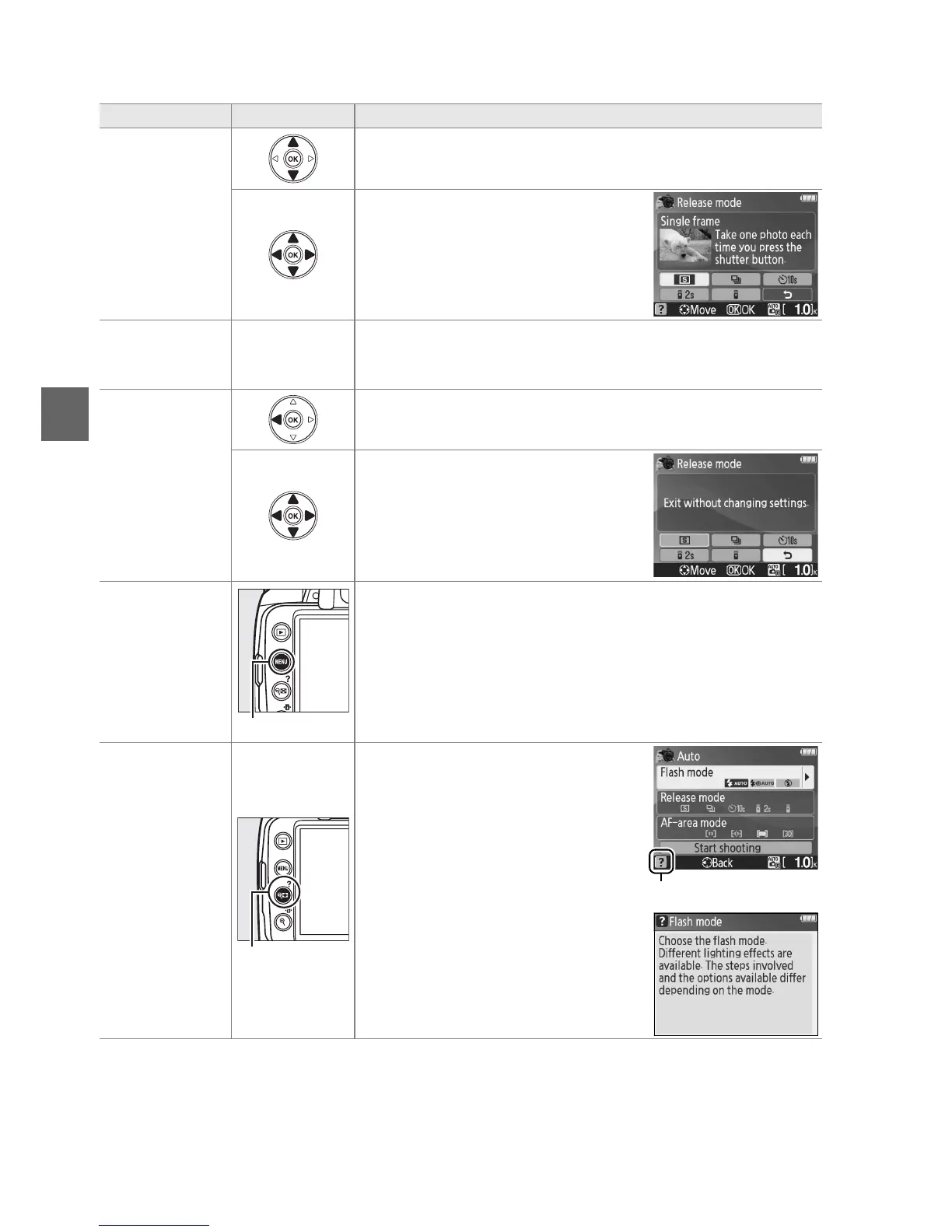
The following operations can be performed while the guide menu is displayed:
To Use Description
Highlight
options
Press 1 or 3 to highlight options in the guide menu.
Press 1, 3, 4, or 2 to highlight
options in displays like that shown at
right.
Select
highlighted
option
J Press J to select the highlighted option.
Return to
previous
display
Press 4 to return to the previous display.
To cancel and return to the previous
display from displays like that shown
at right, highlight & and press J.
Return to top
level menu
G button
Press G to return to the top level of the guide menu.
View help
Q (W) button
If a d icon is displayed at the
bottom left corner of the monitor,
help can be displayed by pressing
the Q (W) button.
A description of
the currently selected option will be
displayed while the button is
pressed.
Press 1 or 3 to scroll
through the display.
d (help) icon



 To Next Page