204 Connections
Copy Pictures to the Computer
Before proceeding, be sure you have installed the software on
the supplied ViewNX 2 CD (0 201).
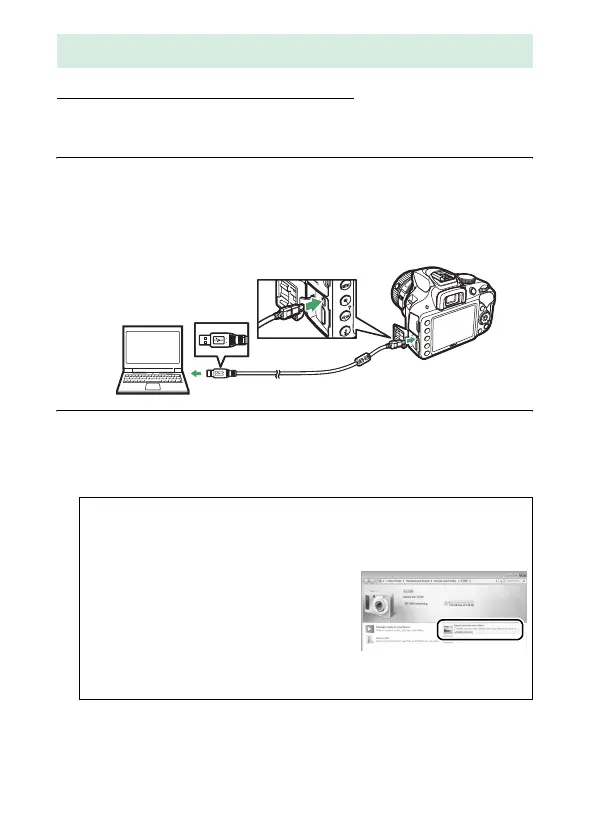
1 Connect the USB cable.
After turning the camera off and ensuring that a memory
card is inserted, connect the supplied USB cable as shown
and then turn the camera on.
2 Start Nikon Transfer 2 component of ViewNX 2.
If a message is displayed prompting you to choose a
program, select Nikon Transfer 2.
Using ViewNX 2
A Windows 7
If the following dialog is displayed, select Nikon Transfer 2 as
described below.
1 Under Import pictures and videos,
click Change program.
A program
selection dialog will be displayed;
select Import File using
Nikon Transfer 2 and click OK.
2 Double-click Import File.



 To Next Page
 Loading...









