12
Part I: Fast Track to Super Snaps
corner of the camera back). In M (manual exposure) mode, press this
button while rotating the Command dial to adjust the aperture setting.
✓ Info button: This button performs two functions depending on whether
you’re using the viewfinder to frame shots or taking advantage of Live
View, the feature that enables you to see the live scene on the monitor.
• Viewfinder photography: Press the Info button to display the Infor-
mation screen, which displays the most critical picture-taking set-
tings. To turn off the screen, press the Info button again.
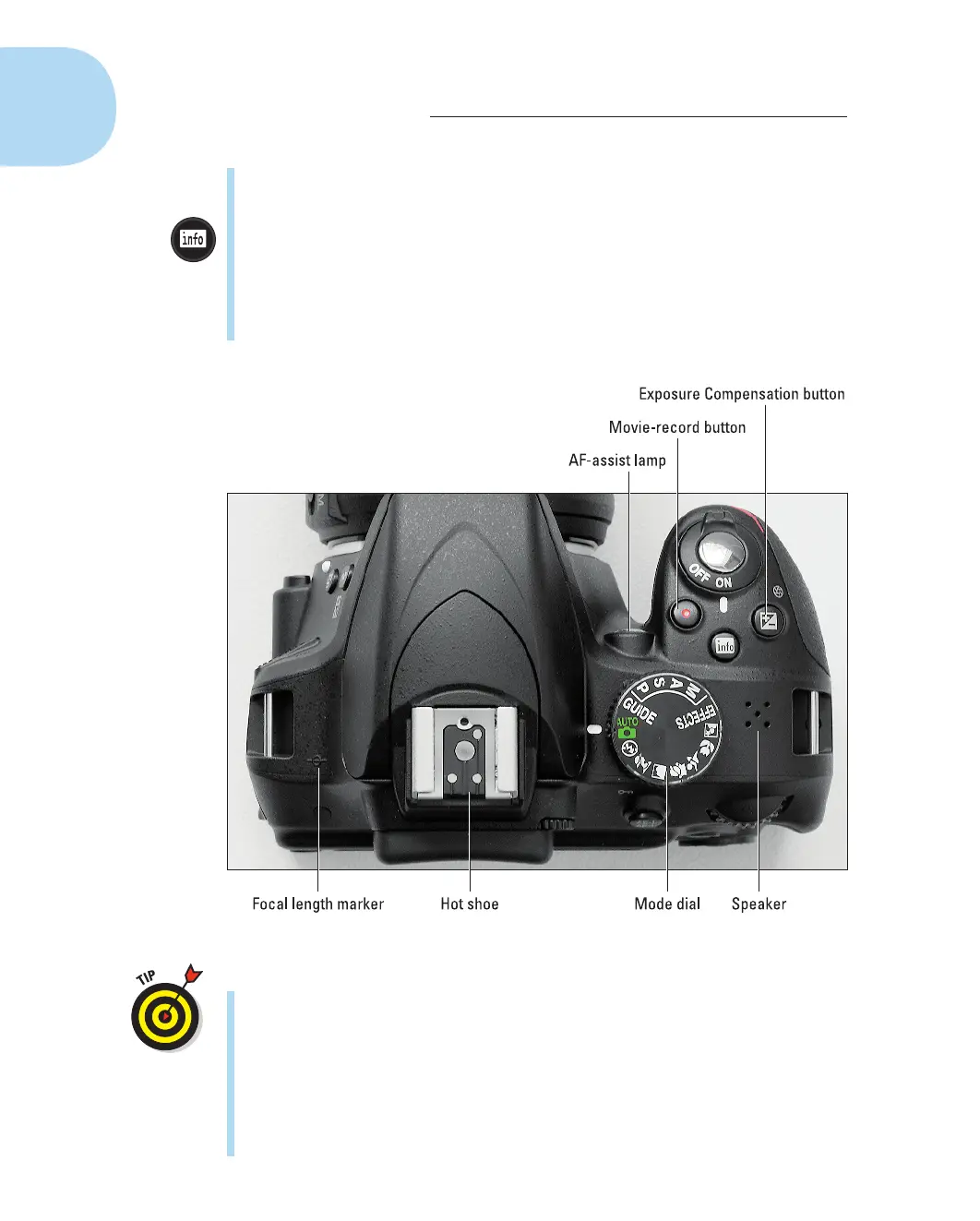
Figure1-5 : Rotate the Mode dial to choose an exposure mode.
You also can display the screen by pressing the shutter button
halfway and releasing it.
• Live View photography: After you press the LV (Live View) button
on the back of the camera, the viewfinder goes dark, and the live
scene appears on the monitor. During Live View photography,
press the Info button to change the amount and type of data dis-
played along with the live scene. You can turn the monitor off only
by exiting Live View mode (press the LV button again).
05_9781118204979-ch01.indd 1205_9781118204979-ch01.indd 12 4/29/2014 10:35:44 PM4/29/2014 10:35:44 PM



 To Next Page