14
Part I: Fast Track to Super Snaps
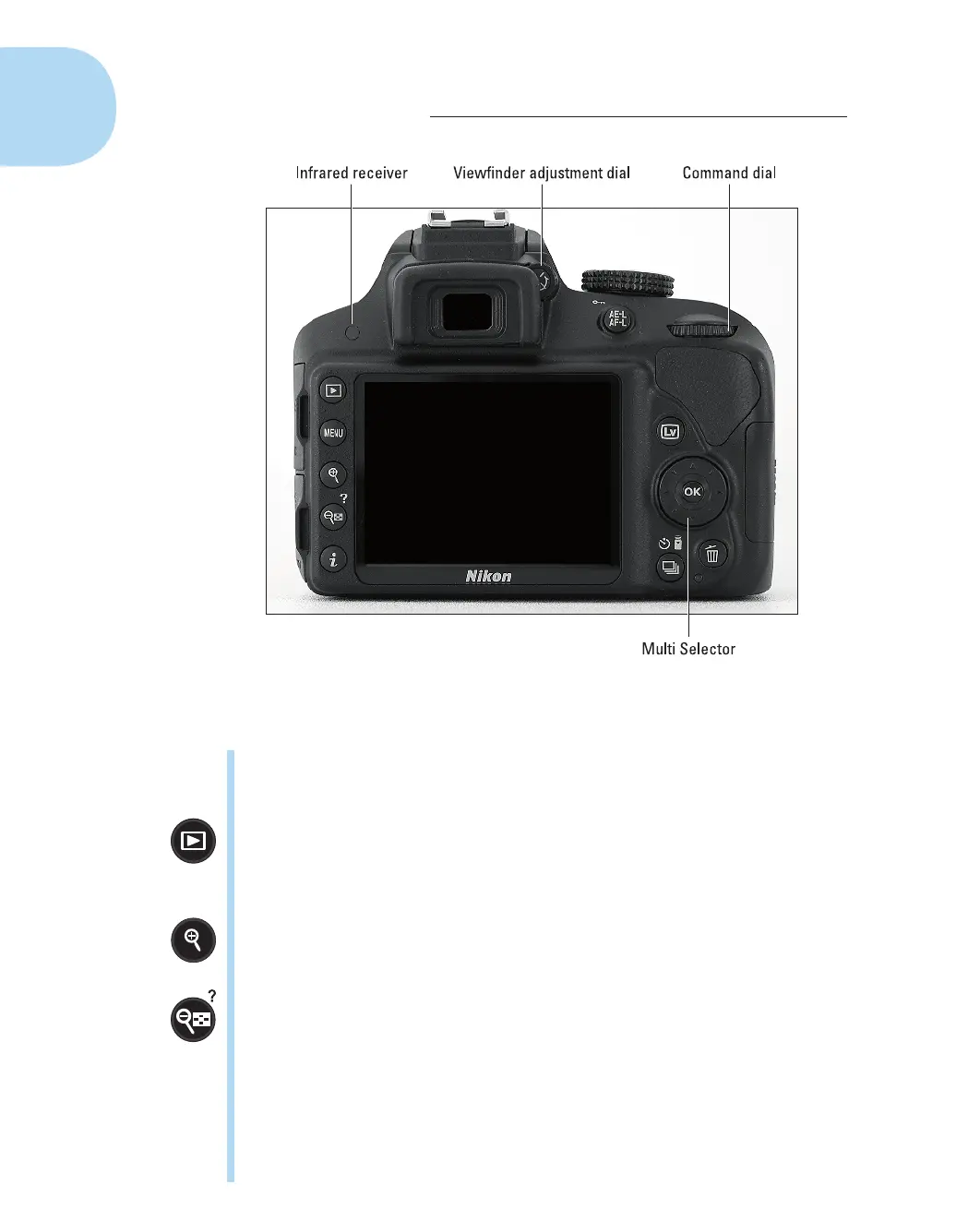
Figure1-6 : Use the Multi Selector to navigate menus and access certain other
camera options.
✓ Command dial: After you activate certain camera features, you rotate
this dial to select a setting. For example, to choose a shutter speed when
shooting in shutter-priority (S) mode, you rotate the Command dial.
✓ Playback button: Press this button to switch the camera into picture
review mode. Chapter 9 details playback features.
✓ Menu button: Press this button to access menus of camera options. See
“Ordering from camera menus,” later in this chapter, for details.
✓ Zoom In button: In playback mode, pressing this button magnifies the
currently displayed image. Note the plus sign in the middle of the magni-
fying glass—plus means enlarge.
✓ Zoom Out button: As you can probably deduce from the three symbols
that mark this button, it has not one, but three primary functions:
• Reduce image magnification during playback: If you magnify an
image during playback, pressing the button reduces the magnifica-
tion amount. The magnifying glass with the minus sign tips you off
to this function.
• Display thumbnails during playback: After you press the Playback
button to shift to playback mode, pressing the Zoom Out button
enables you to switch from single-image view, which shows one
05_9781118204979-ch01.indd 1405_9781118204979-ch01.indd 14 4/29/2014 10:35:46 PM4/29/2014 10:35:46 PM



 To Next Page