196 Playback and Deletion
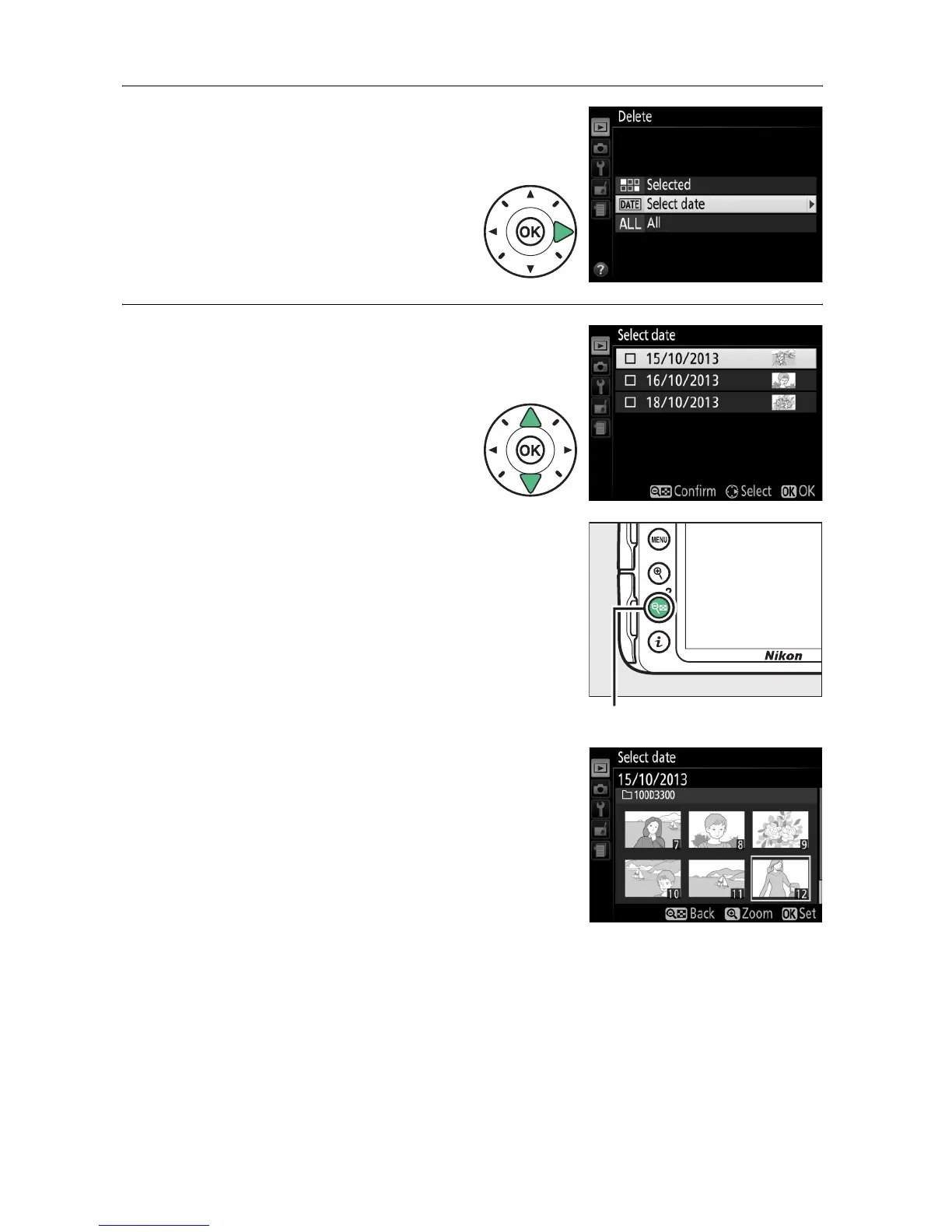
❚❚ Select Date: Deleting Photographs Taken on a Selected Date
1 Choose Select Date.
In the delete menu,
highlight Select date and
press 2.
2 Highlight a date.
Press 1 or 3 to highlight a
date.
To view the pictures taken on the
highlighted date, press W (Q).
Use
the multi selector to scroll through
the pictures, or press and hold X to
view the current picture full screen.
Press W (Q) to return to the date list.
W (Q) button



 To Next Page