EasyManua.ls Logo

Nikon D3300 - Page 49

Nikon D3300
541 pages
Print Icon
To Next Page IconTo Next Page
To Previous Page IconTo Previous Page
Loading...
3
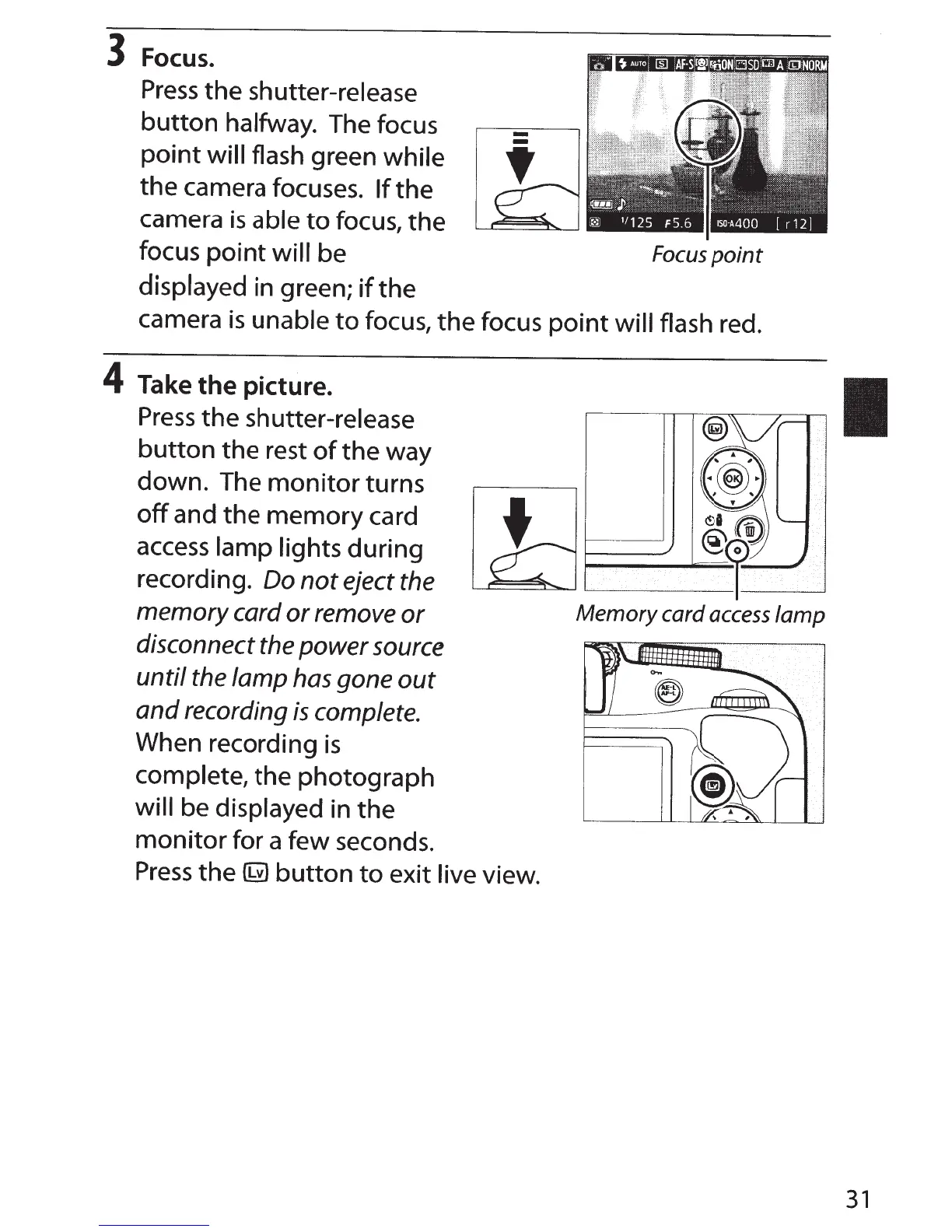
Focus.
Press
the shutter-release
button
halfway.
The focus
point
will
flash green while
the camera focuses.
If
the
camera
is
able
to
focus,
the
-
focus
point
will be
Focus
point
displayed
in green;
if
the
camera
is
unable
to
focus, the focus
point
will flash
red.
4
Take
the
picture.
Press
the
shutter-release
button
the rest
of
the way
down. The
monitor
turns
off
and the memory card
access
lamp lights during
recording. Do
not
eject the
memory
card
or
remove
or
disconnect the
power
source
until
the
lamp
has gone
out
and
recording
is
complete.
When recording
is
complete,
the photograph
will
be
displayed
in the
monitor
for a few seconds.
Press
the
~
button
to
exit
live
view.
31

Table of Contents

Other manuals for Nikon D3300

Related product manuals