1110
Less Uncertainty, More Opport unity
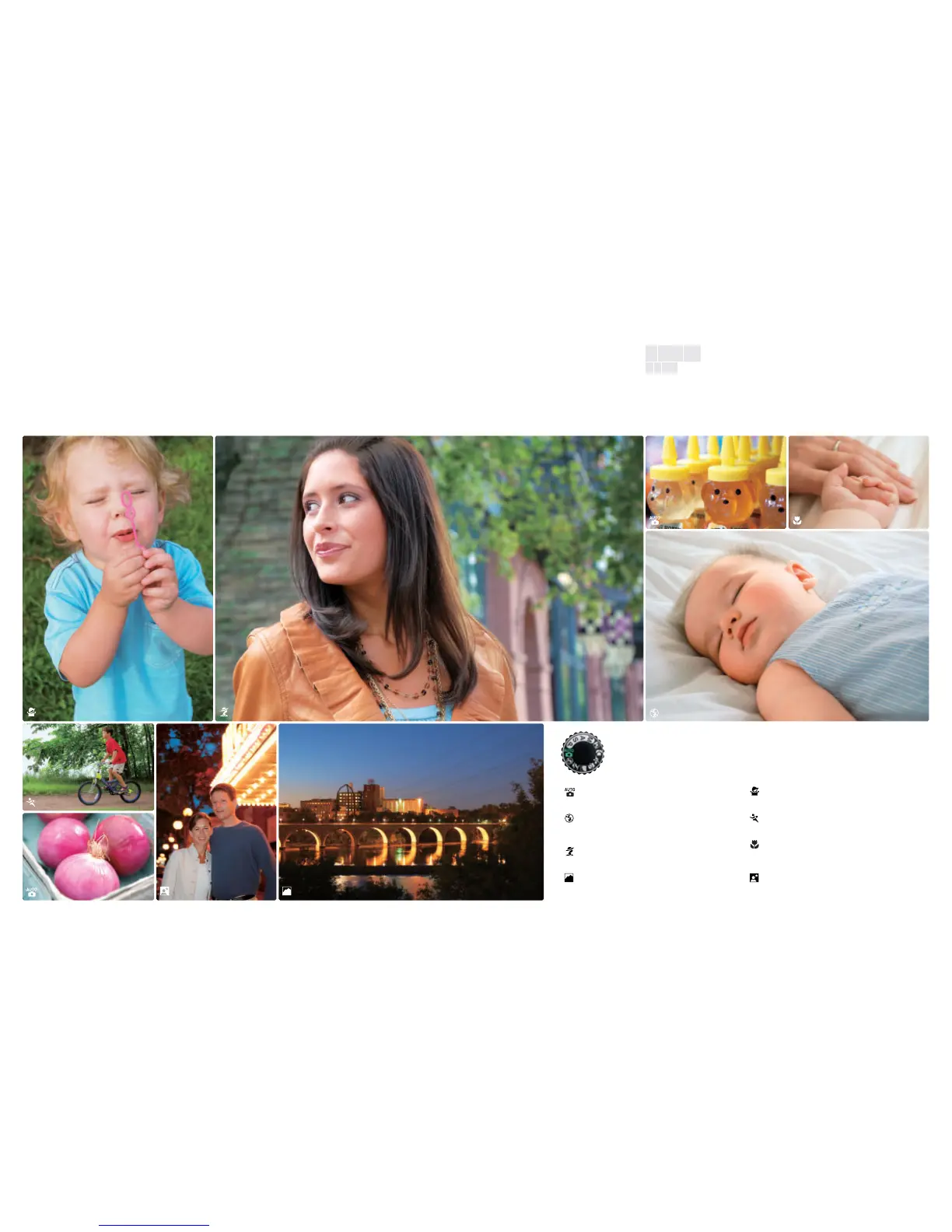
Creative photography simply by rotating the mode dial
AUTO: This automatic “point-and-shoot” mode lets you
concentrate on getting the shot. Settings are controlled
automatically to match shooting conditions.
Auto (Flash Off): Captures low-light situations without the Built-in
Flash by using available light and boosting light sensitivity.
Whether it’s a museum, concert or school play, you’re ready
whenever flash photography is not allowed.
Portrait: Select this mode when you want a sophisticated,
professional-looking portrait with your subject sharply focused
and the background stylishly softened.
Landscape: This mode ensures beautiful pictures of landscapes,
buildings and other large-scale subjects. It’s also ideal for
shooting groups of friends and family with a backdrop of
beautiful scenery.
Child: Capture beautifully expressive images of children with
Child mode. Your pictures will feature natural skin tones while
clearly and vividly rendering clothing and background details.
Sports: High shutter speeds freeze motion for dynamic action shots
where the main subject stands out clearly. The camera tracks your
subject, adjusting the focus with split-second response.
Close Up: Discover the hidden beauty in flowers, coins, insects
and other small treasures. Close Up mode renders every detail
of the foreground, while a softened background helps your
subject stand out. Use a tripod to get the sharpest results.
Night Portrait: This mode focuses on the closest subject in a low-
light situation and then calculates a balanced exposure for both
the foreground and the background. For the sharpest pictures, a
tripod is recommended.
Get better shots in almost any situation. Each of the eight Digital Vari-Program
modes is designed to calculate the best settings for your scene automatically.
Simply choose one, or select AUTO and let the D40 do all the work.
1
•Lens: AF-S DX Zoom-Nikkor 18-55mm f/3.5-5.6G ED II •Exposure mode: Digital Vari-Program [Child] 1/320 second, f/6.3
•White balance: Auto •Sensitivity: ISO-equiv. 200
2
•Lens: AF-S DX Zoom-Nikkor 18-135mm f/3.5-5.6G IF-ED •Exposure
mode: Digital Vari-Program [Portrait] 1/100 second, f/5.3 •White balance: Auto •Sensitivity: ISO-equiv. 400
3
•Lens: AF-S DX
Zoom-Nikkor 17-55mm f/2.8G IF-ED •Exposure mode: [AUTO] 1/60 second, f/4 •White balance: Auto •Sensitivity: ISO-equiv. 400
4
•Lens: AF-S DX Zoom-Nikkor 17-55mm f/2.8G IF-ED •Exposure mode: Digital Vari-Program [Close Up] 1/60 second, f/4.5 •White balance: Auto •Sensitivity: ISO-
equiv. 400
5
•Lens: AF-S DX Zoom-Nikkor 18-55mm f/3.5-5.6G ED II •Exposure mode: Digital Vari-Program [AUTO (Flash Off)] 1/40 second, f/5.3 •White balance:
Auto •Sensitivity: ISO-equiv. 400
6
•Lens: AF-S DX Zoom-Nikkor 17-55mm f/2.8G IF-ED •Exposure mode: Digital Vari-Program [Sports] 1/800 second, f/3.2 •White
balance: Auto •Sensitivity: ISO-equiv. 400
7
•Lens: AF-S DX Zoom-Nikkor 17-55mm f/2.8G IF-ED •Exposure mode: [AUTO] 1/30 second, f/2.8 •White balance: Auto
•Sensitivity: ISO-equiv. 400
8
•Lens: AF-S DX Zoom-Nikkor 17-55mm f/2.8G IF-ED •Exposure mode: Digital Vari-Program [Night Portrait] 1/10 second, f/2.8 •White
balance: Auto •Sensitivity: ISO-equiv. 200 •Built-in Flash: TTL
9
•Lens: AF-S VR DX Zoom-Nikkor 18-200mm f/3.5-5.6G IF-ED •Exposure mode: Digital Vari-Program
[Landscape] 8 seconds, f/4.2 •White balance: Auto •Sensitivity: ISO-equiv. 200 *All photos taken with image quality mode: RAW (NEF)
12
34
5
6
7
89


 To Next Page
 Loading...









