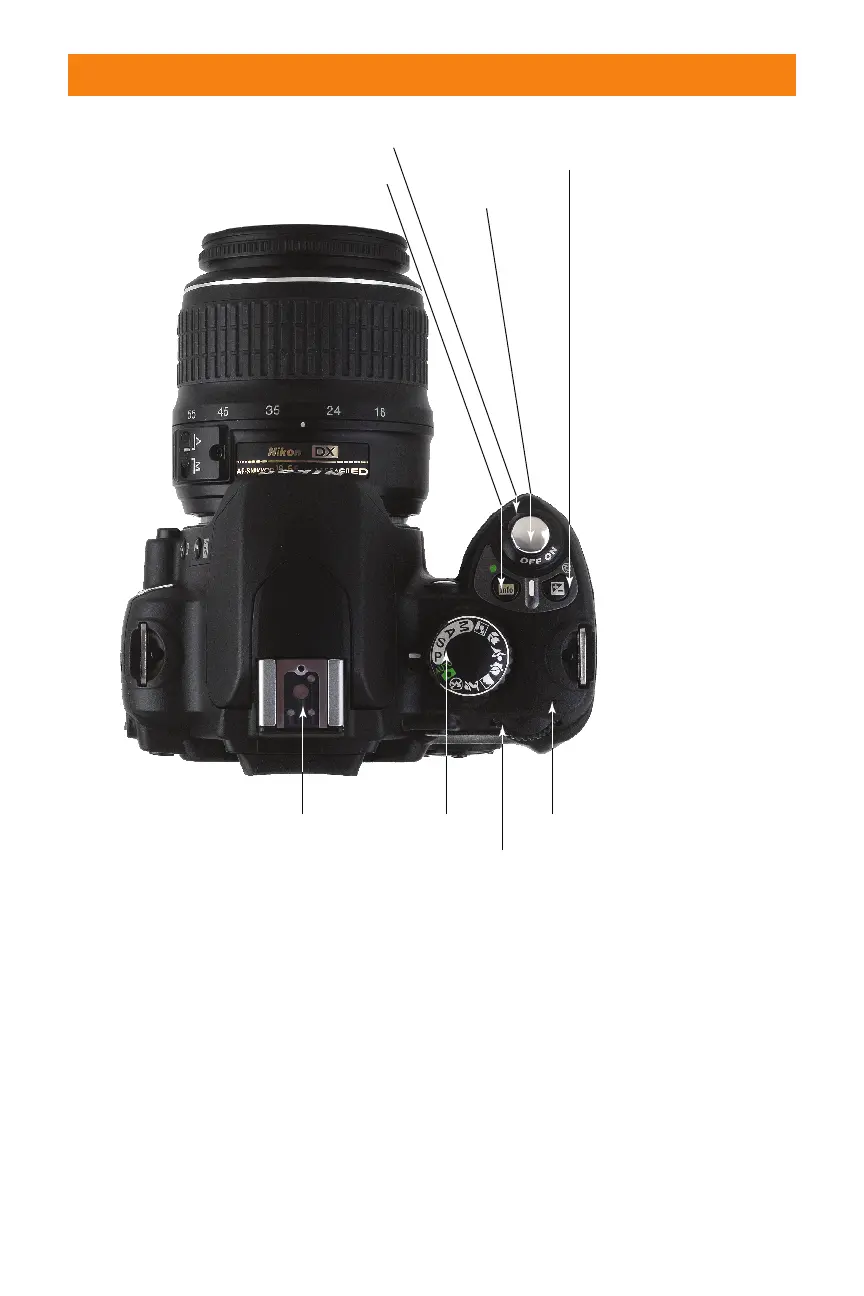
down the Aperture button when in
Manual exposure mode to adjust
aperture with the command dial.
(When the button is not pressed,
the command dial adjusts shutter
speed in Manual mode.)
✦ On/Off switch. Rotate this switch
one notch clockwise to turn the
D40/D40x on; turn it in the reverse
direction to shut it off.
✦ Shutter release. Partially depress
this button to lock exposure and
focus settings. Press it all the way
down to take the picture. Tapping
the shutter release when the cam-
era has turned off the auto exposure
and autofocus mechanisms reacti-
vates both. When the LCD displays
a review image, tapping this button
removes the image from the display
and reactivates the auto exposure
and autofocus mechanisms.
Chapter 1 ✦ Exploring the Nikon D40/D40x 25
Shutter release
Accessory shoe
On/Off switch
Shooting Information/
Reset (#1) button
Exposure Compensation/
Aperture button
Mode dial
Command dial
Focal plan
indicator
1.11 Key components on the top panel of the D40/D40x
06_171486 ch01.qxp 8/8/07 6:21 PM Page 25



 To Next Page