4
Quick Start Guide
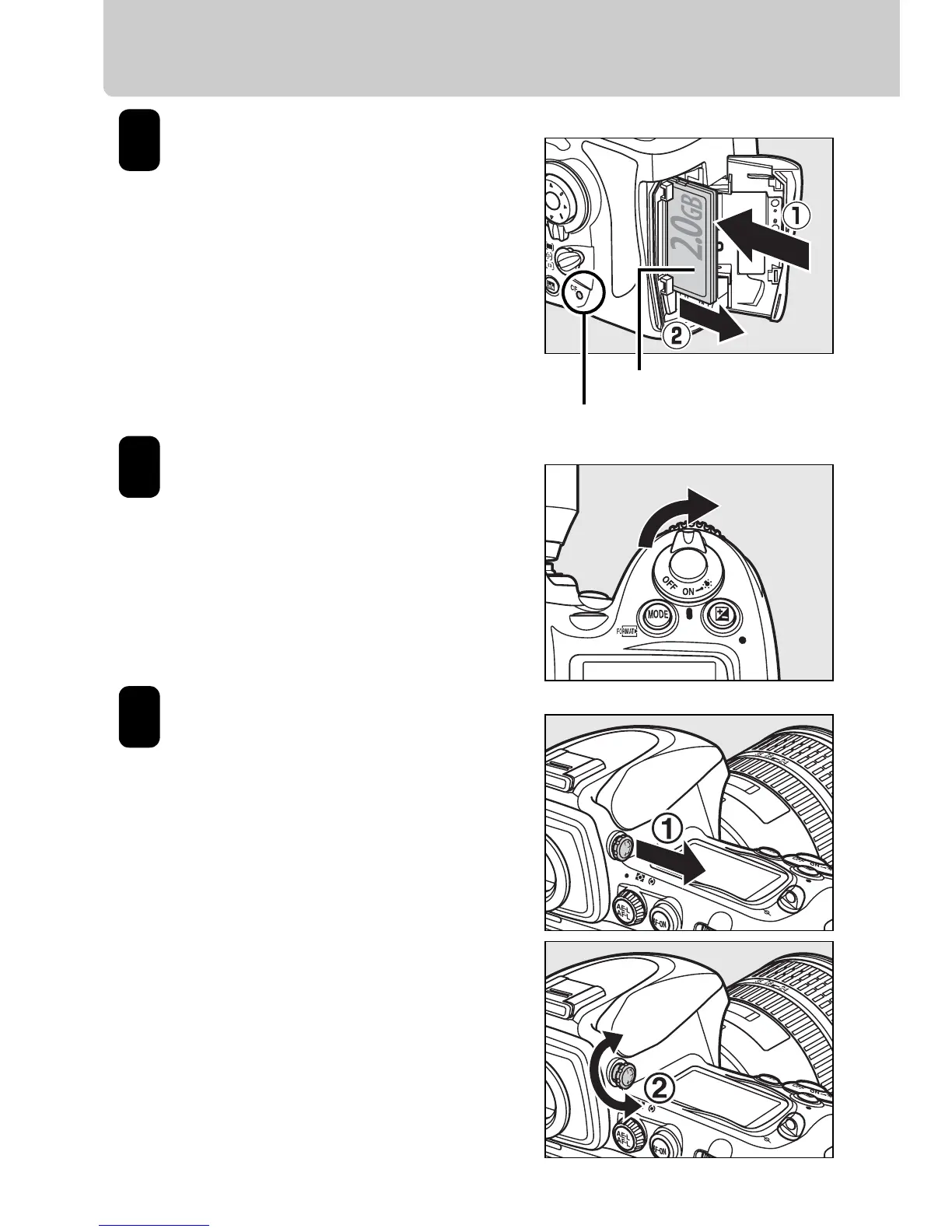
Insert a Type I
CompactFlash memory
card (q).
When the memory card is
fully inserted, the eject
button will pop up (w) and
the green access lamp will
light briefly.
Turn the camera on.
See page 38 of the User’s
Manual for information on
choosing a language and
setting the time and date.
Adjust viewfinder
focus.
Lift the diopter adjustment
control (q) and rotate it until
the frame in the viewfinder is
in sharp focus (w), then push
the diopter adjustment
control back in.
Front
Access Lamp
5
6
7







 To Next Page