9
Turn the camera off.
Turn the camera off and confirm that a memory card is
inserted.
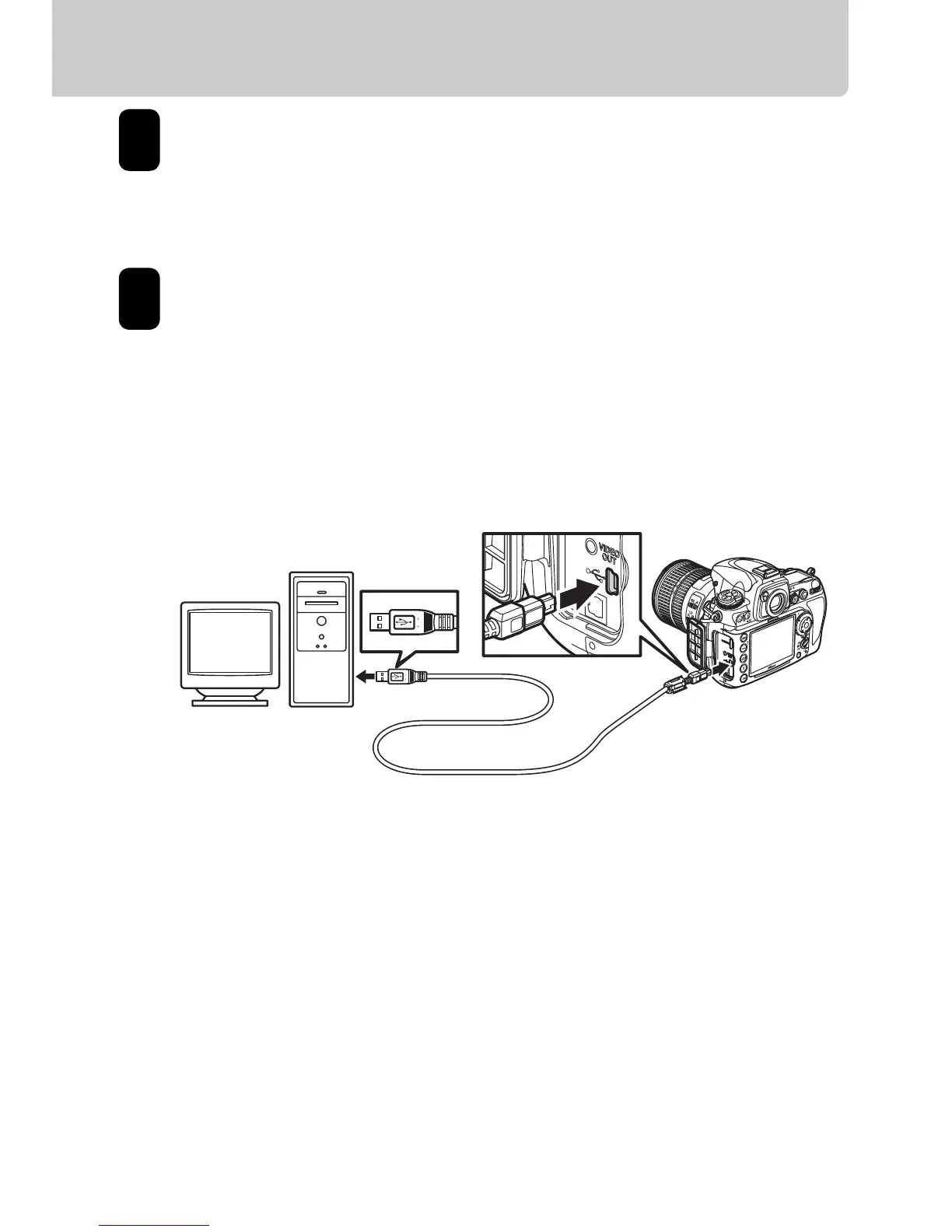
Turn the computer on and connect the supplied UC-
E4 USB cable as shown below.
Do not use force or attempt to insert the connectors at
an angle. Connect the camera directly to the
computer; do not connect the cable via a USB hub or
keyboard.
1
2







 To Next Page