Chapter 1 ✦ Exploring the Nikon D90 15
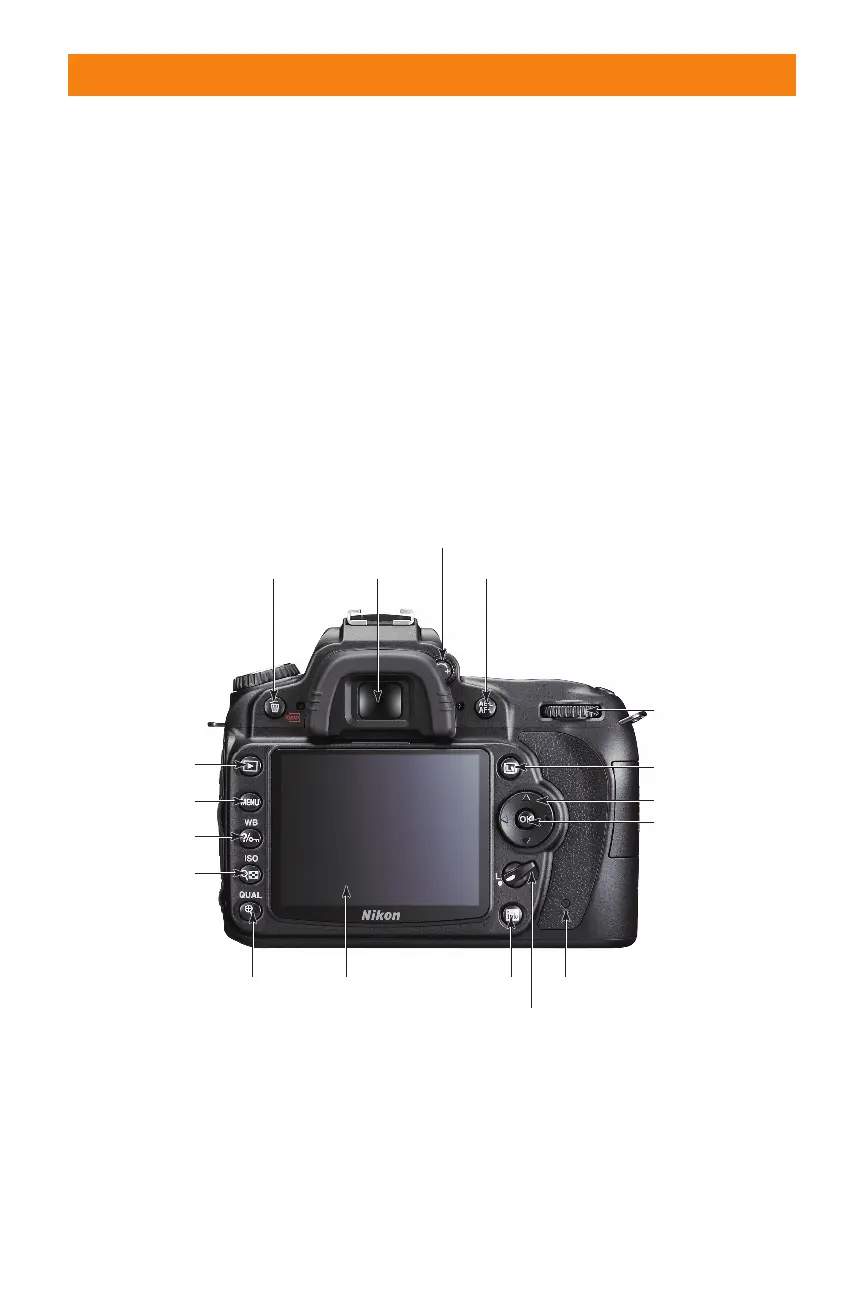
✦ Viewfi nder. This is what you look
through to compose your photo-
graphs. Light coming through the
lens is refl ected through a pen-
taprism, which enables you to see
exactly what you’re shooting (as
opposed to a rangefi nder camera,
which gives you an approximate
view). Around the viewfi nder is a
rubber eyepiece that serves to give
you a softer place to rest your eye
and to block any extra light from
entering the viewfi nder as you
compose and shoot your images.
the Multi-selector. You also fi nd several key
features on the back of the camera, includ-
ing the all-important viewfi nder and LCD:
✦ LCD. This is the most obvious fea-
ture on the back of the camera.
This 3-inch, 920,000-dot liquid
crystal display (LCD) screen is a
very bright, high-resolution screen
that’s the same as the higher-end
D3, D700, and D300 Nikon cam-
eras. The LCD is where you review
your images after shooting. The
Shooting Info Display also appears
here, and this is where you view all
the menus.
Delete button
Memory card access lamp
Main Command
dial
Viewfinder
Diopter adjustment control
AE-L/AF-L
Live View button
Multi-selector
OK button
Focus selector lock
Information button
LCD
Quality/Zoom In button
ISO/Thumbnail/
Zoom Out button
White Balance/
Help/Protect
Menu button
Playback button
Image courtesy of Nikon
1.2 Back-of-the-camera controls





 To Next Page