EasyManua.ls Logo

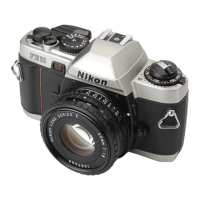
Nikon FE2 - Aperture Priority Auto Exposure

Nikon FE2
63 pages
Print Icon
To Next Page IconTo Next Page
To Previous Page IconTo Previous Page
Loading...
ffiryrys'.*-
With
the FE2
set at A,
you
setect the
f /stop
and the
electronicarry
controlled
metering
circuit matches
it
with
the
correct
stepless
shutter
speed The
A mode
is
especially
useful,
because it
allows
you
to
control
depth
of field
while
using the
camera
on
automatic
to
assure
perfect
exposure.
Deeper
depth of field
(or
a
greatet
zone
of
sharp focus
in
front
of and
behind
the marn
subject)
is
achieved
as
you
stop
down the lens
to
smaller aper-
tures
(indicated
by
numerically
larger
f-numbers).
Shallower
depth
of
field
(where
the focus
is
restricted
to the
main
subiect)
results
when
larger
apertures
are
used
(Refer
to
page
38 for
more
information
)
Shooting
on auto
1)
Set the
shutter
speed/mode
selector
dial
at
A.
Z)
Set the
desired
f/stop
on the tens
3) Look
through
the viewfinder
and
place
the
main
sublect in the
center of the f rame.
4) Pull
out
the film
advance
lever
and depress
the
shutter re-
lease
button halfway
5)Confirm
the
position
of the meter
needle.
lf the
shutter
soeeo
is
above 1/30
sec., but not
over
1/4OOO
sec,
deoress
the
shutter
release
button
all
the way
The
correct
exposure
will
be
obtained.
z5

Related product manuals