8
• The Focus shift shooting option in the camera photo shooting
menu can be used with AF-S and AF-P lenses. No peaking stack
image is recorded.
• The Vignette control and Auto distortion control options in the
movie shooting menu have no effect.
• The edges of pictures taken with Auto distortion control enabled in
the photo shooting menu may be cropped out in order to reduce
distortion. Take a test shot and view the results in the display.
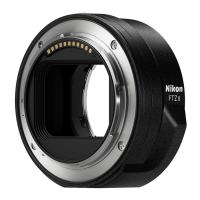
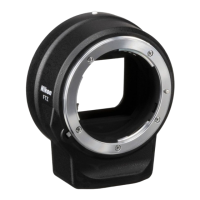
• Sounds may be audible from the lens or mount adapter during
shooting or when the camera is turned on or off.
• The WT-7 wireless transmitter cannot be attached to the camera
tripod mount while the FTZ mount adapter is in use. Insert the WT-7
into its supplied case and attach it to the strap or the tripod.
• The option selected for Custom Setting g4 (AF speed) applies only
to AF-P lenses and the lenses listed below. All other lenses focus at
maximum speed.
- AF-S Fisheye NIKKOR 8–15mm f/3.5–4.5E ED
- AF-S DX NIKKOR 16–80mm f/2.8–4E ED VR
- AF-S DX NIKKOR 18–55mm f/3.5–5.6G VR II
- AF-S DX NIKKOR 18–140mm f/3.5–5.6G ED VR
- AF-S DX NIKKOR 18–300mm f/3.5–6.3G ED VR
- AF-S NIKKOR 20mm f/1.8G ED
- AF-S NIKKOR 24mm f/1.8G ED
- AF-S NIKKOR 24–70mm f/2.8E ED VR
- AF-S NIKKOR 28mm f/1.4E ED
- AF-S NIKKOR 35mm f/1.8G ED
- AF-S DX NIKKOR 55–200mm f/4–5.6G ED VR II
- AF-S NIKKOR 58mm f/1.4G
- AF-S NIKKOR 70–200mm f/2.8E FL ED VR
- AF-S NIKKOR 105mm f/1.4E ED
- AF-S NIKKOR 180–400mm f/4E TC1.4 FL ED VR






 To Next Page