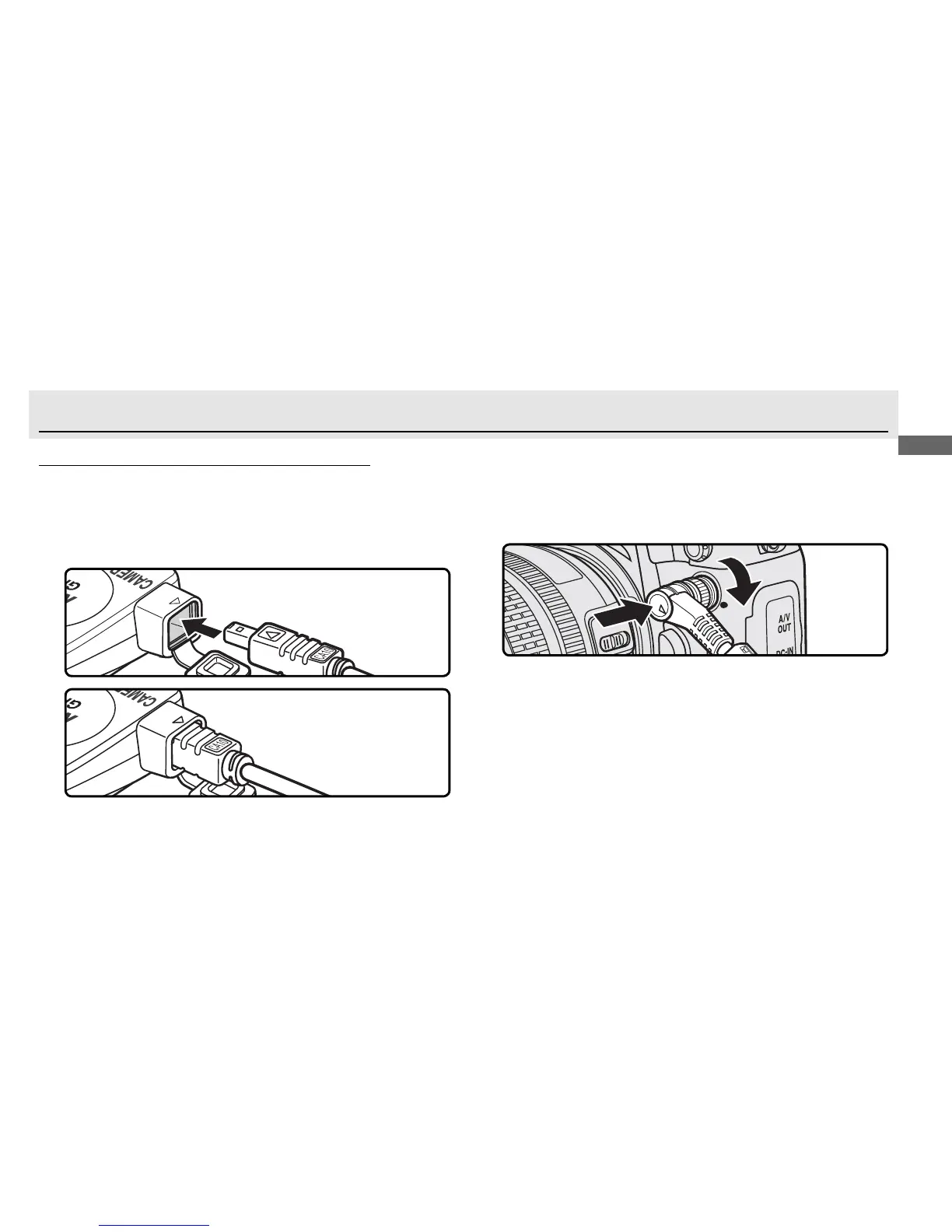
Cameras with Ten-pin Remote Terminals
1
Turn the camera off .
2
Insert the GP1-CA10 cable (햹) into the connection
terminal (햷).
3
Aligning the mark on the connector with the mark
on the camera body, insert the ten-pin connec-
tor into the camera’s ten-pin remote terminal and
tighten the locking nut.
Connecting the GP1-CA10 to a D3 digital camera



 To Next Page