EasyManua.ls Logo

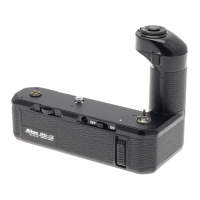
Nikon MD-12 - Simultaneous Operation

Nikon MD-12
19 pages
Print Icon
To Next Page IconTo Next Page
To Previous Page IconTo Previous Page
Loading...
DOU
BLE
/
MULTT
PLE EXPOSURES
Your
camera
has
a
special double/multiple
exposure
provision
built-in in
the
form
of the
multi-exposure
button
or
lever.
Merely
depressing th is
button or lever
allows
you
to
superimpose any number
of
pictures
on
the
same
frame.
Th
is
prov
ision
not on ly
con
tin
ues
to
fu
nction
with the
motor drive attached,
but opens
u
p
creative
possibilities
th at
are
just
not
possible
when
the
camera is operated
manually.
When
the motor
d
rive
S-C
se lector
is
set to
"S,
"
the
double/multiple
exposure
situation is
exactly the
same
as
for
the
camera
alone,
except that
the trigger
button
on the
motor
drive is
used
to
trigger
the
exposure.
Remember
to depress
and hold
the
mu
lti-exposure
button or
lever,
with
your
left hand,
before
you
remove
your
finger
from
the trigger
button. Otherwise,
the film
will
be advanced.
*
On the
((C
" setting,
triggering
the release
button,
wh
ile
holding
the
multi-exposure
button
or lever depressed,
will
produce
mu ltiple
images
on the
same
frame.
Either
the
motion
of the subject
or
your
movement
of
the
camera
will
resu
lt in the
images
being separated,
pro-
ducing
an original and
interesting
effe"ct.
Ho Id
the
multi-exposure
button
or
lever depressed
with
your
left
hand,
while holding
the
camera
normally
with the
right.
Remember
to release
the multi-exposure
button
o
r lever
ju
st
b
efo
re
th
e
last
ex
po
su re,
so th at
th
e
camera
is left ready
for
the next
sequence
with an un-
exposed frame
in the
film
gate.
If
not,
cap the
lens
and
make
one
"blan
k"
exposu
re. The
camera
is
then
ready
for
the next
shot.
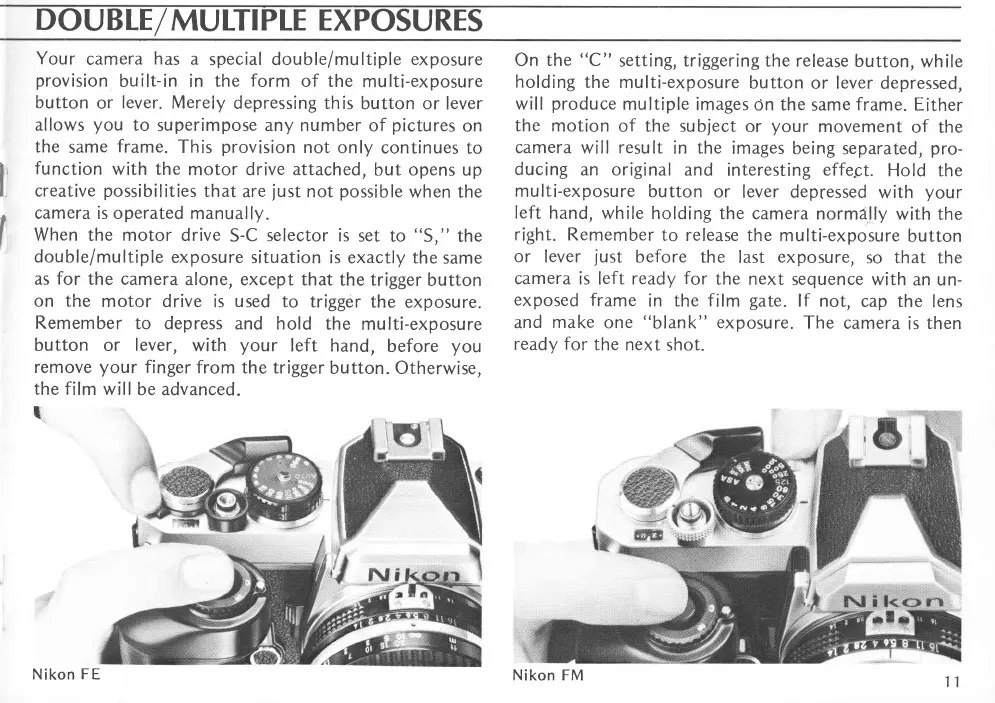
Nikon
FE
Nikon FM

Related product manuals