How to Use:
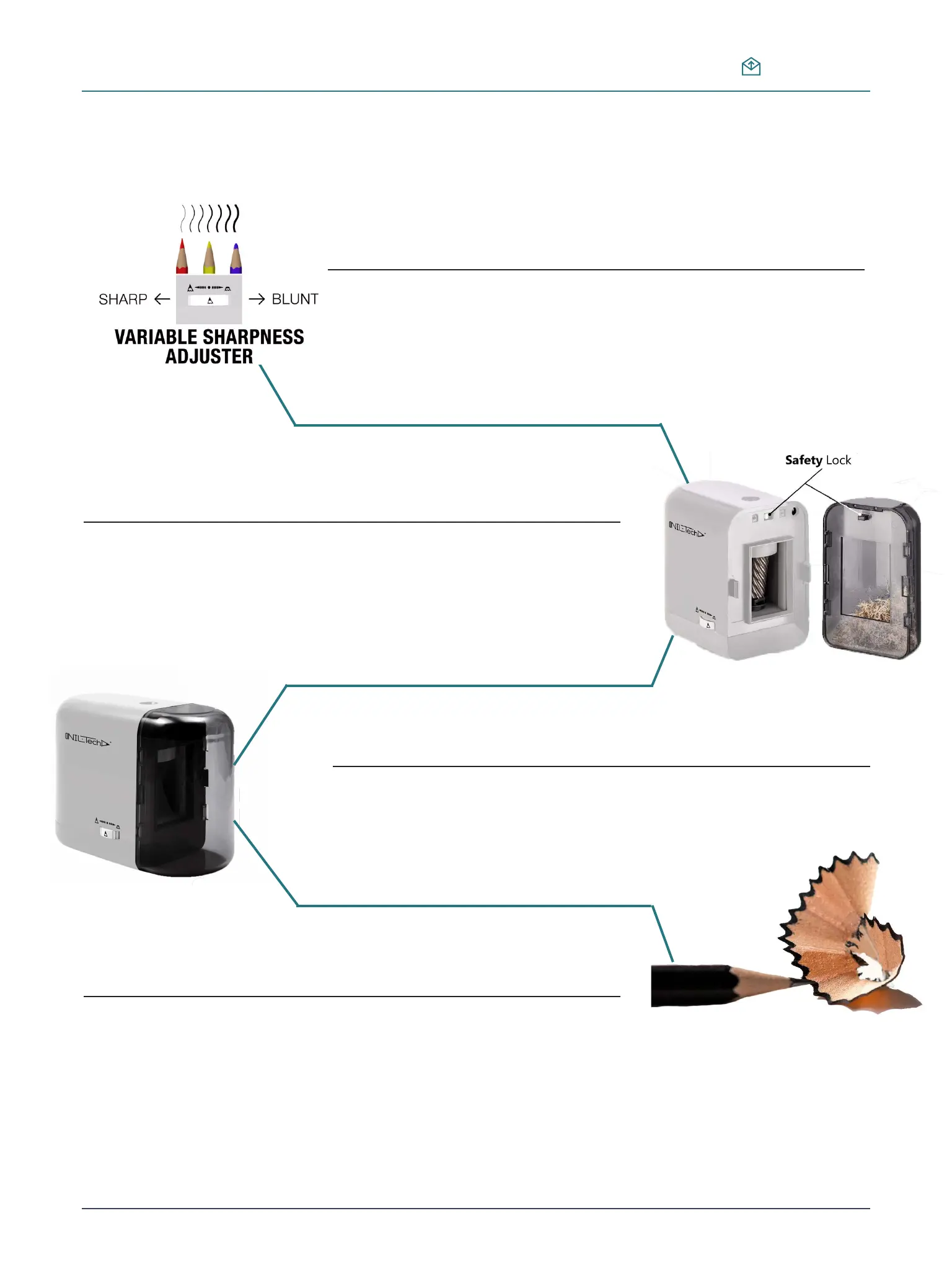
Adjust the thickness of pencil point with size adjuster
wheel, the thickness may vary according to pencil type.
Tip: Best result of point adjuster feature you can see if your pencils have thick
leads.
Make sure that the shaving bin is inserted correctly
.If not, the machine won’t start opterating because of its safety feature.
Insert the pencil into the hole straight.
The pencil point will be offset from the core if it’s inserted with an incline.
Tip: LED will light up when pencil sharpener is operating. When the pencil achieves
the desired sharpness, the device should stop automatically.
Wood shavings will be left on the front end of the pencil
after sharpening. This is normal
Tip: Before removing, Half rotate the pencil to reduce any extra clinging wood
shavings
4
NIL-Tech Pencil Set Guide
niltech@mail.com


 To Next Page
 Loading...