5
OUTFIT EN
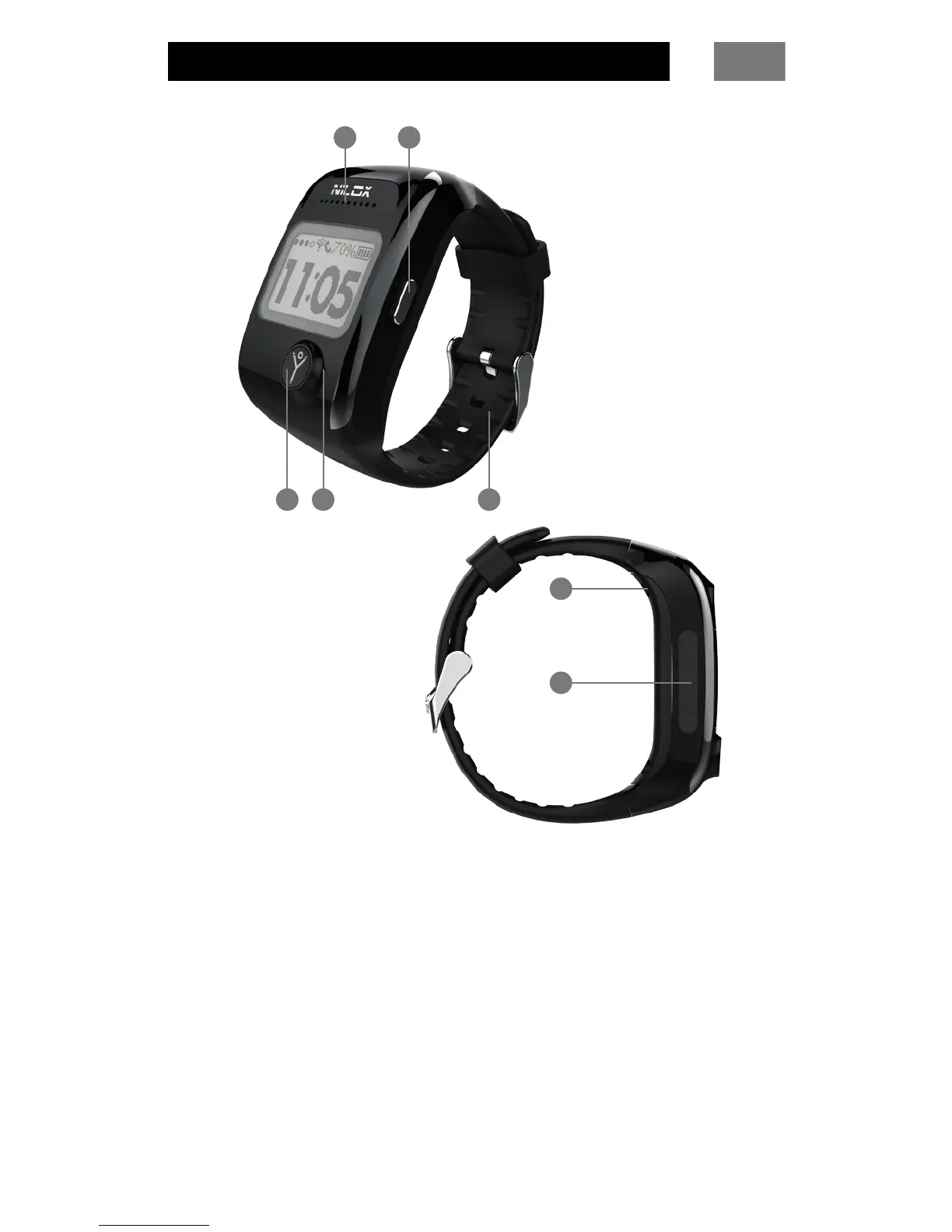
Audio speaker
Call/SOS button
Microphone
“Select” button
Replaceable watchstrap
Connector for recharging bodyguard®
MicroSIM slot
1
32
4
5
7
6
bodyguard® must be used exclusively with a microSIM. Insert
the microSIM card with the gold contacts facing the display, in
the slot of bodyguard®.
bodyguard® will turn on automatically when you insert the
microSIM.
Connect the USB cable to the USB power supply, then connect
the other end of the USB cable to the connector on the
bodyguard® to complete the recharging cycle (the rst cycle
will take about 2 hours).
When the battery is fully charged, disconnect bodyguard®.



 To Next Page