7
ASSOCIATING YOUR BODYGUARD® EN
ATTENTION !
The electronic complete manual of bodyguard® can be
downloaded from the Nilox website at www.nilox.com. Enter the
bodyguard® code in the search eld at the top right:
2NXBOTRGP001 (bodyguard® black), 32NXBOTRGP002
(bodyguard® lime green), 32NXBOTRGP003 (bodyguard® purple)
and download the manual.
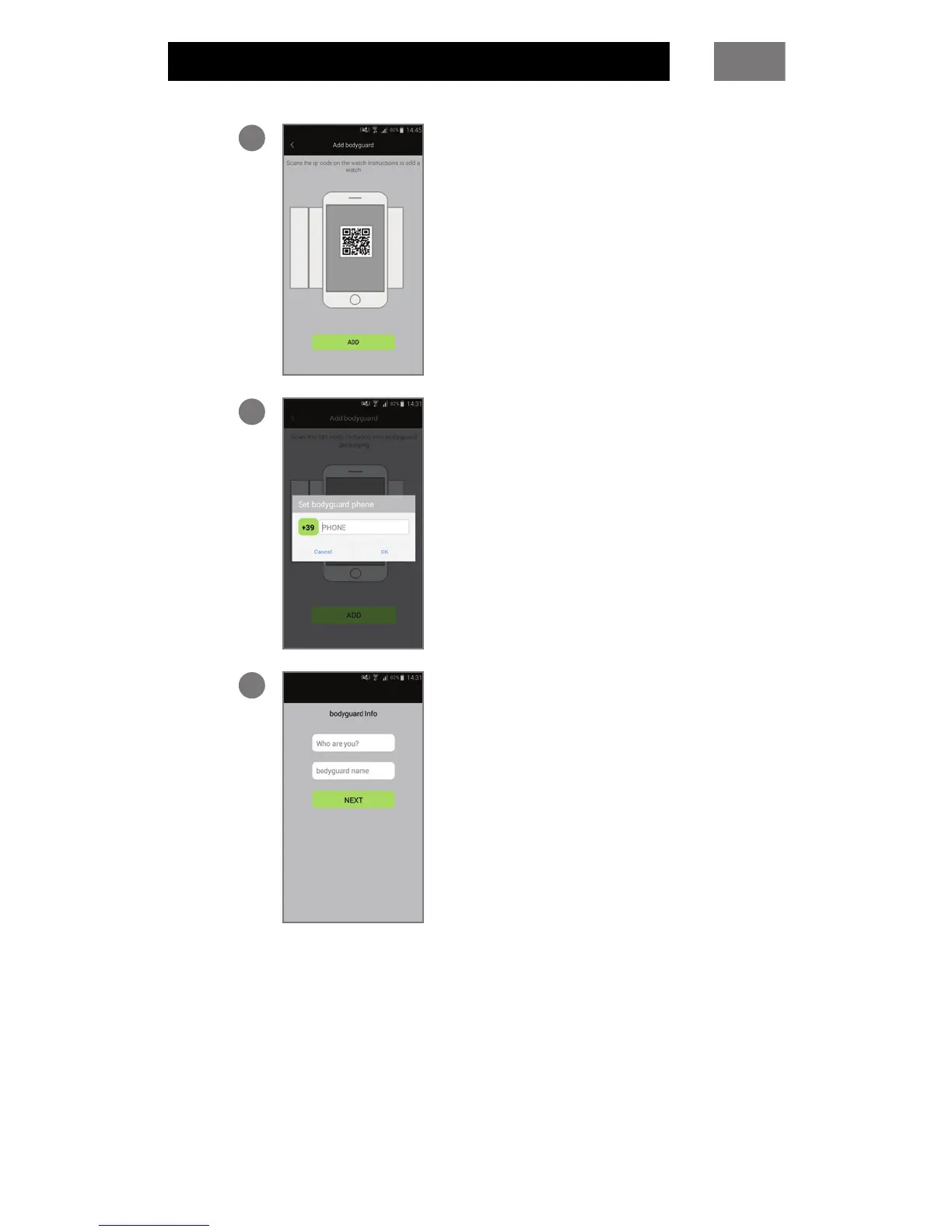
1
To associate your bodyguard®,
press press Scan QR code.
Frame the QR code contained
in the bodyguard® package
with your smartphone.
2
Enter the number of the SIM
inserted in the bodyguard®.
3
Enter the name you want
bodyguard® to use to recognise
you (your name, mother, father,
etc.). The name you have specied
will appear in the bodyguard®
address book.
Enter the name to be assigned to
the bodyguard®.
Press Next to nish.



 To Next Page