16
Operating Instructions - SOLO PRO 290 RTF 2.4 GHz No. NE2516
Neutral settings for tail rotor and gyro Possible problems and their remedies
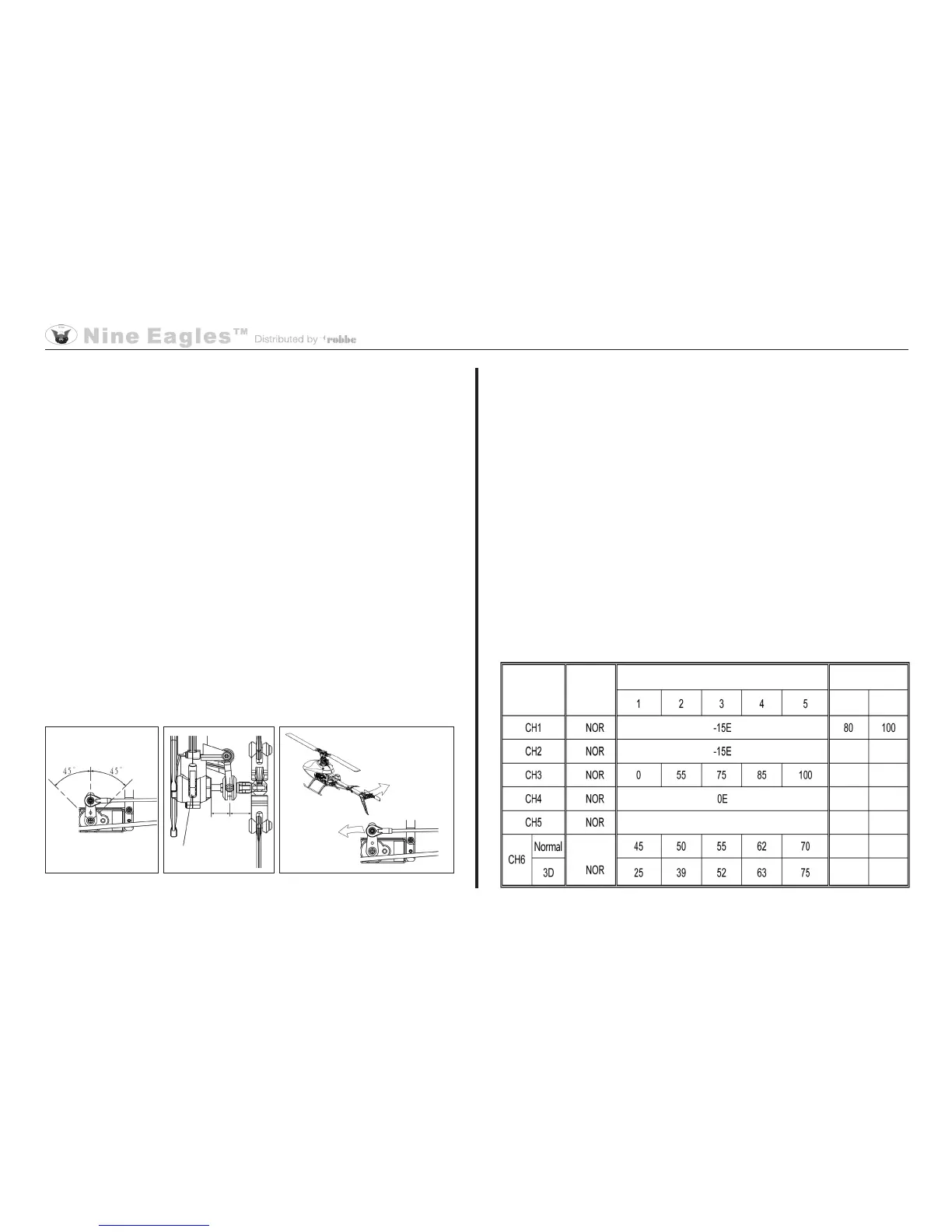
If you wish to adjust Heading Lock mode on the transmitter, move
the RVMX switch (3-D switch) to the forward position (switched
off), and the G.S. switch (gyro gain switch) to the back position.
Gyro gain should be set to about 70%. Check the neutral position
of the tail rotor linkage after making adjustments at the trans-
mitter. Connect the battery to the helicopter without moving the
transmitter's tail rotor stick or the helicopter. Wait three seconds.
The output arm of the tail rotor servo should now be at an angle
of 90° to the servo (Fig.1). At the neutral position the tail rotor
linkage should be at the centre of the tail rotor shaft (Fig. 2).
Adjust the tail rotor pushrod if necessary (see the illustration of
the tail rotor neutral position).
When you move the tail rotor anti-clockwise, the tail rotor ser-
vo must compensate in the clockwise direction. If this is not the
case, switch the gyro to "Reverse" (Fig. 3).
Check that the battery in the helicopter is the correct type, and
that it is fully charged.
Check the collective pitch setting.
Check that the main rotor blades are free to swivel.
Check the main and tail rotors for possible vibration.
Check that the gears mesh together correctly.
Check the tail rotor drive shaft.
Fig. 1 Fig. 2 Fig. 3
Channel
Curve data
Adjustment
Gain (20-25)
Dual Rate
low
high
Transmitter settings


 To Next Page
 Loading...