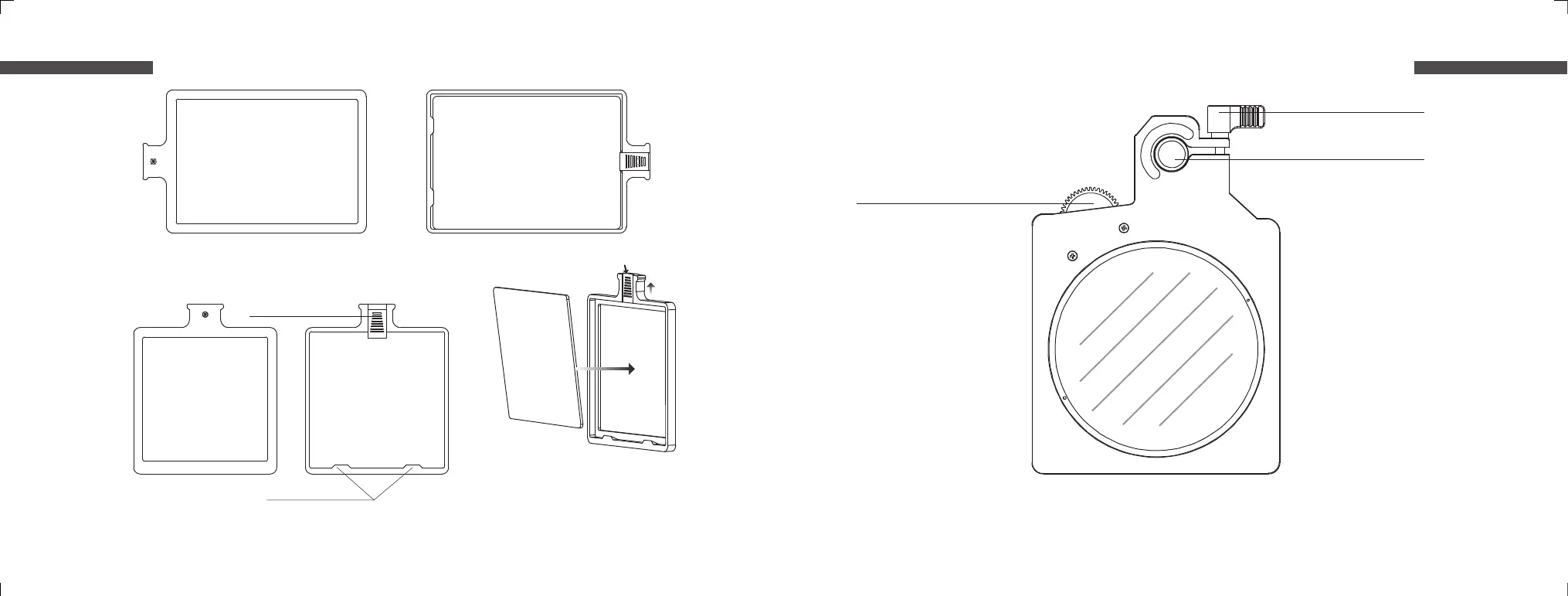
Filter installation guide: Move the limit
switch at the top of the filter holder upwards
until it stops. Insert the filter into the position
slot. Ensure that the filter tray is tightly
attached, then release the limit switch.
C501-103A
Back
C501-103A
Front
C501-102A
Front
C501-102A
Back
VND 1-5 Stops For C5
Filter position slot
Limit switch for filter
Screw for rod
Mounting hole for rod
M0.8 Gear:
Rotate the wheel manually or
attach a lens control system
Limit switch for filter
9 10
English English


 To Next Page