4-40 Center display, heater, air conditioner, audio and phone systems
iPhone
®
3G may not work with the system in
some cases.
Make sure that your iPod
®
firmware is updated.
* 12V-charge iPod
®
s are not chargeable with this
system.
iPod
®
button:
Place the ignition switch in the ACC or ON
position. Then, push the iPod
®
button to switch
to the iPod
®
mode.
If another audio source is playing and the iPod
®
is connected, pushing the iPod
®
button changes
to the iPod
®
mode.
If the system has been turned off while the iPod
®
was playing, pushing the PWR button will start
the iPod
®
.
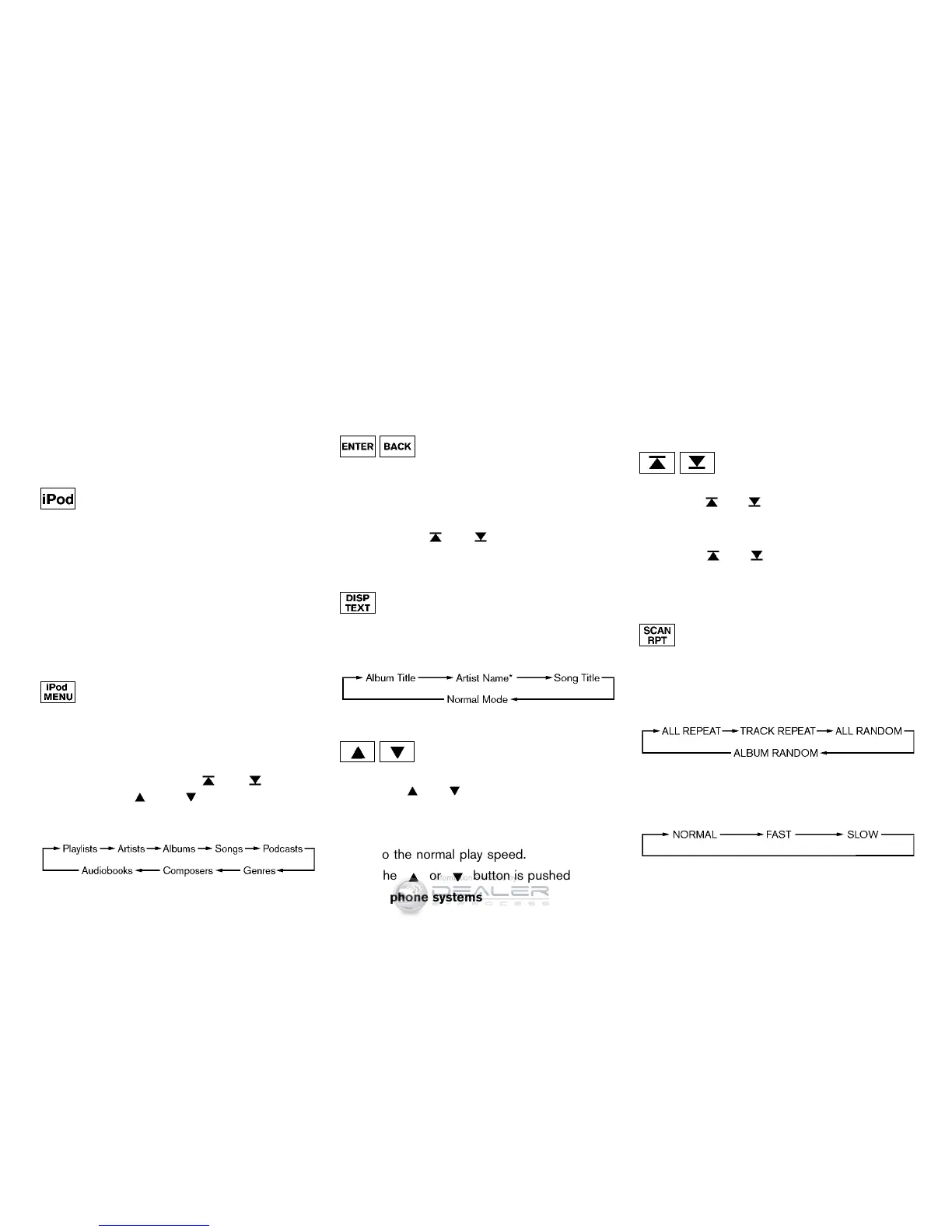
Top menu item selecting:
When the iPod
®
MENU button is pushed while
the iPod
®
is connected, the interface for iPod
®
operation is shown on the audio display. The
items on the menu list can be scrolled by
pushing the SEEK button
or and the
TUNE button
or while the iPod
®
is
operational. To select an item, push ENTER. The
display can be changed as follows:
For more information about each item, see the
iPod
®
Owner’s Manual.
BACK, ENTER button:
. When the ENTER button is pushed while
the top menu is displayed, program details
are shown on the audio display.
. To select the program, push to search using
the SEEK
or and ENTER button.
. When the BACK button is pushed, it returns
to the previous display.
iPod
®
play information:
When the DISP button is pushed while a
program is being played, the program informa-
tion display will change as follows:
* Artist Name will not be displayed for a Podcast.
FF (Fast Forward), REW (Re-
wind) button:
When the
or button is pushed for more
than 1.5 seconds while the iPod
®
is playing, the
iPod
®
will play while fast forwarding or rewind-
ing. When the button is released, the iPod
®
will
return to the normal play speed.
When the
or button is pushed for less
than 1.5 seconds while the iPod
®
is playing, the
next track or the beginning of the current track
on the iPod
®
will be played.
APS (Automatic Program
Search) FF, APS REW button:
When the
or button is pushed for more
than 1.5 seconds while the iPod
®
is playing,
numbers of tracks can be skipped through.
When the
or button is pushed for less
than 1.5 seconds while iPod
®
is playing, the next
track or the beginning of the current track on the
iPod
®
will be played.
REPEAT (RPT), RANDOM (RDM):
When the RPT button is pushed while a track is
being played, the play pattern can be changed
as follows:
Except Podcast and Audiobook:
Podcast:
ALL REPEAT ↔ TRACK REPEAT
Audiobook:



 To Next Page