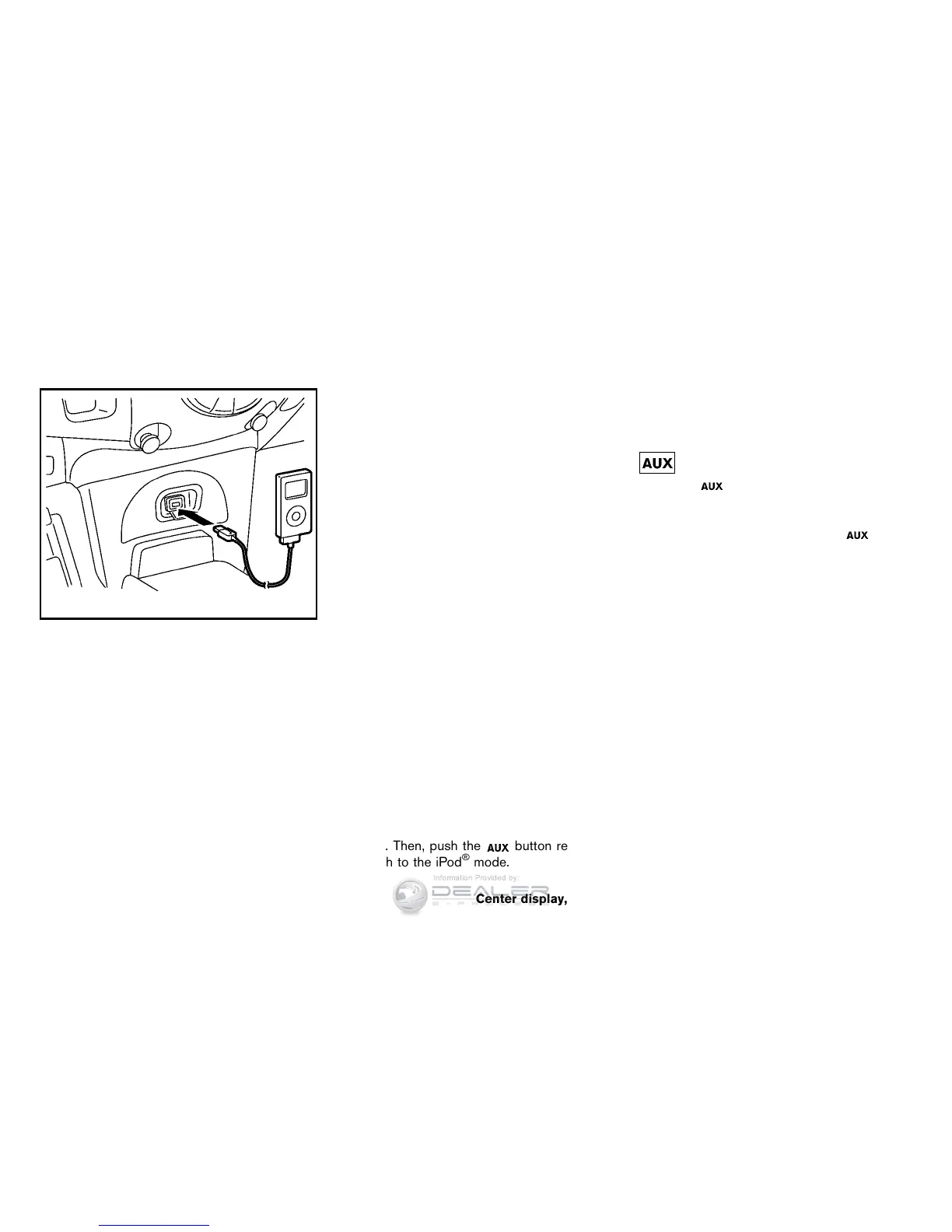
SAA3648
iPod
®
player operation
Connecting iPod
®
:
Open the tray lid and connect the iPod
®
cable to
the USB connector. If the iPod
®
supports
charging via USB, the battery of the iPod
®
will
be charged while connected to the vehicle.
Depending on the iPod
®
model, the display on
the iPod
®
shows a NISSAN or Accessory
Attached screen when the connection is com-
pleted. When the iPod
®
is connected to the
vehicle, the iPod
®
music library can only be
operated by the vehicle audio controls.
*iPod
®
is a trademark of Apple Inc., registered in
the U.S. and other countries.
Compatibility:
The following models are available:
. Fifth generation iPod
®
(firmware version
1.2.3 or later)
. iPod classic
®
(firmware version 1.1.1 or
later)
. First generation iPod touch
®
(firmware ver-
sion 2.0.0 or later)
. Second generation iPod touch
®
(firmware
version 1.2.3 or later)
. First generation iPod nano
®
(firmware ver-
sion 1.3.1 or later)
. Second generation iPod nano
®
(firmware
version 1.1.3 or later)
. Third generation iPod nano
®
(firmware ver-
sion 1.1 or later)
. Fourth generation iPod nano
®
(firmware
version 1.0.2 or later)
This unit may not control/operate correctly when
connected to some iPod
®
model/firmware ver-
sion and iPhone.
Make sure that the iPod
®
firmware version is
updated.
Audio main operation:
Place the ignition switch in the ACC or ON
position. Then, push the
button repeatedly
to switch to the iPod
®
mode.
If the system has been turned off while the iPod
®
was playing, pushing the ON·OFF button will
start the iPod
®
.
PLAY:
When the
button is pushed with the system
off and the iPod
®
connected, the system will turn
on. If another audio source is playing and the
iPod
®
is connected, push the button
repeatedly to switch to the iPod
®
mode.
Interface:
The interface for iPod
®
operation shown on the
vehicle center display is similar to the iPod
®
interface. Use the touchscreen, BACK button or
the TUNE/SCROLL knob to navigate the menus
on the screen.
The following items can be chosen from the
menu list screen. For further information about
each item, see the iPod
®
Owner’s Manual.
. Playlists
. Artists
. Album
. Genres
. Songs
. Composers
. Audiobooks
Center display, heater, air conditioner, audio and phone systems 4-47



 To Next Page