Playing iPod
®
Push the power switch to the "ACC" or "ON"
position. Then, push the CD·AUX button
repeatedly to switch to the iPod
®
mode. If the
system has been turned off while the iPod
®
was
playing, pushing the
button will start the
iPod
®
.
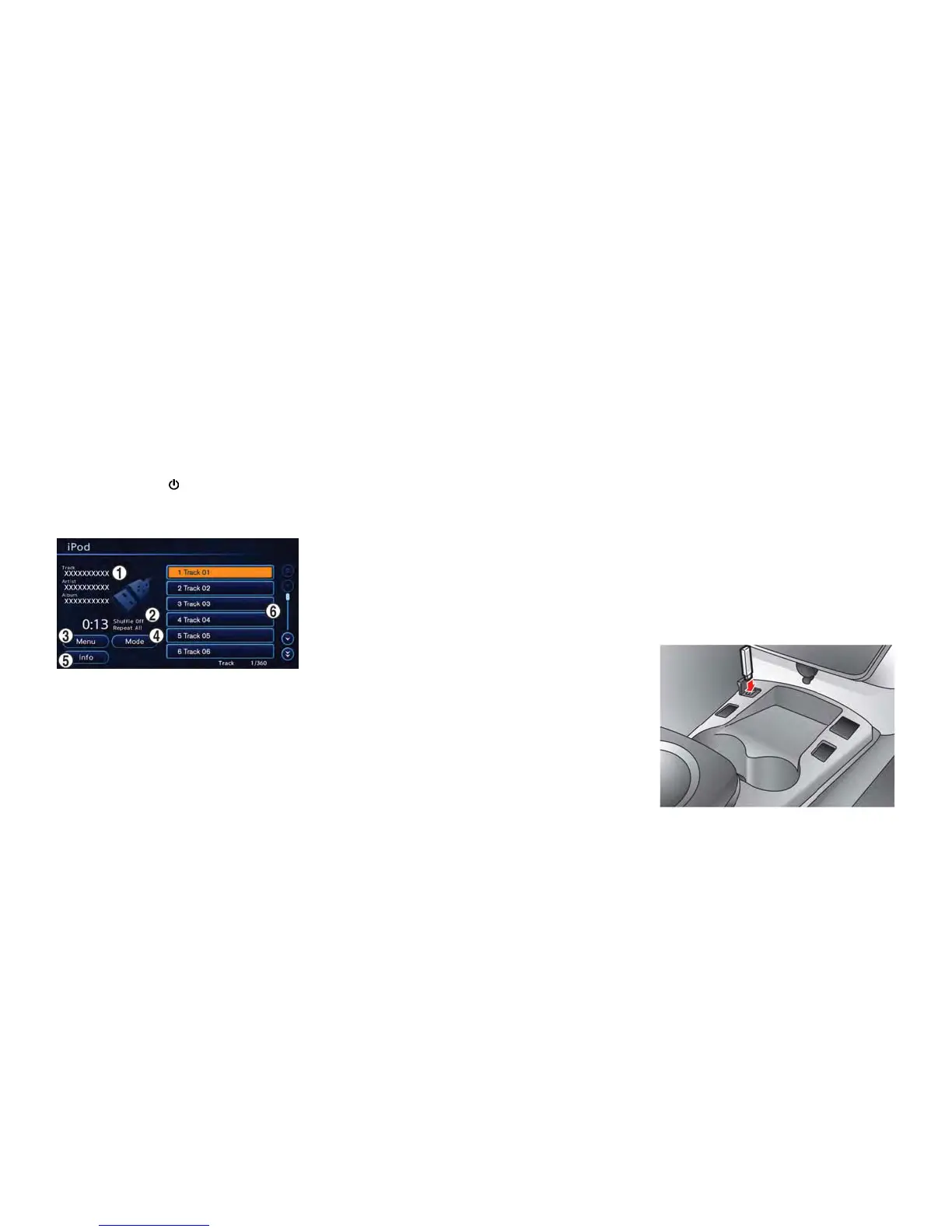
How to view iPod
®
screen
*
1
Indicates the following information.
Track title, Album title, Artist
*
2
Indicates the play mode that is currently set.
However, the play mode is not indicated when
the normal mode is set.
*
3
[Menu]:
Touch the screen to set the iPod
®
play method.
*
4
[Mode]:
Touch the screen to set the play mode.
*
5
[Info]:
Touch the screen to indicate the track information
screen.
*
6
Track list:
Touch the screen to play the track that is chosen.
Next/Previous Track and Fast For-
ward/Rewind
Push the TUNE SEEK CH button for more than
1.5 seconds while an iPod
®
is playing to fast
forward or rewind through the current track.
When the button is released, the iPod
®
will
return to the normal play speed.
When the TUNE SEEK CH button is pushed for
less than 1.5 seconds while an iPod
®
is playing,
the next track or the beginning of the current
track on the iPod
®
will be played.
Select play mode
The play mode setting display will appear when
[Mode] is touched.
Select the preferred play mode from the
following items.
. Shuffle
Choose "Off", "Songs" or "Albums".
. Repeat
Choose "One" or "All".
iPod
®
settings
The following items can be chosen from the
menu list screen. For further information about
each item, see the iPod
®
Owner’s Manual.
. Now Playing
. Playlists
. Artists
. Albums
. Songs
. Podcasts
. Genres
. Composers
USB MEMORY OPERATION
Audio system 4-15



 To Next Page