BLUETOOTH
®
STREAMING AUDIO
OPERATION
Your vehicle is equipped with Bluetooth
®
Streaming Audio.
If you have a compatible Bluetooth
®
device with
streaming audio (A2DP profile), you can set up a
wireless connection between your Bluetooth
®
device and the in-vehicle audio system. This
connection allows you to listen to the audio from
the Bluetooth
®
device using your vehicle speak-
ers. It also may allow basic control of the device
for playing and skipping audio files using the
AVRCP Bluetooth
®
profile. Not all Bluetooth
®
devices have the same level of controls for
AVRCP. Please consult the manual for your
Bluetooth
®
device for more details.
Wireless LAN (Wi-Fi) and the Bluetooth
®
functions share the same frequency band (2.4
GHz). Using the Bluetooth
®
and the wireless
LAN functions at the same time may slow down
or disconnect the communication and cause
undesired noise. It is recommended that you
turn off the wireless LAN (Wi-Fi) when using the
Bluetooth
®
functions.
Regulatory information
FCC Regulatory information:
. CAUTION: To maintain compliance with
FCC’s RF exposure guidelines, use only
the supplied antenna. Unauthorized antenna,
modification, or attachments could damage
the transmitter and may violate FCC regula-
tions.
. Operation is subject to the following two
conditions:
— This device may not cause interference
and
— This device must accept any interfer-
ence, including interference that may
cause undesired operation of the device
IC Regulatory information:
. Operation is subject to the following two
conditions:
— This device may not cause interference,
and
— This device must accept any interfer-
ence, including interference that may
cause undesired operation of the device.
. This Class B digital apparatus meets all
requirements of the Canadian Interference-
Causing Equipment Regulations.
Bluetooth
®
trademark:
Bluetooth
®
is a trademark owned
by Bluetooth
®
SIG, Inc., and
licensed to Clarion.
Connecting procedure
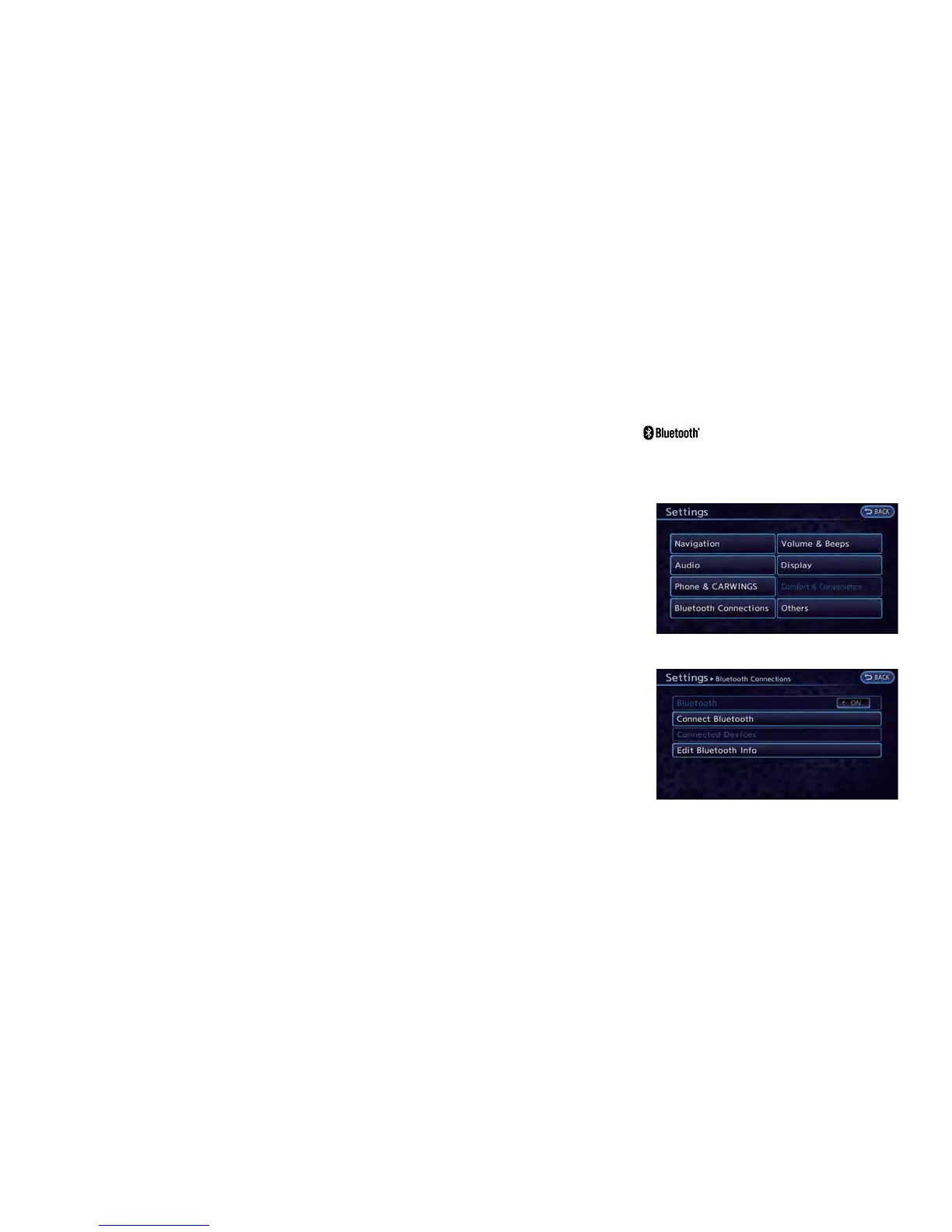
1. Push the MENU and touch [Settings].
2. Touch [Bluetooth].
3. Touch [Connect Bluetooth]. A confirmation
message is displayed.
Audio system 4-17



 To Next Page