the NISSAN CARWINGS Data Center, the
information is automatically downloaded and
the map data is updated.
. [Service Reminders]:
The information that is sent from the
NISSAN CARWINGS Data Center is dis-
played.
. [Information Feed Setting]:
Set the timing of the connection to the
NISSAN CARWINGS Data Center, or edit
the list of the information feeds.
“Information feed setting” (page 5-14)
. [Vehicle Information Sharing with Nissan]:
— [Share Vehicle Information]:
Vehicle information (driving history, etc.)
is automatically sent to the NISSAN
CARWINGS Data Center.
— [Delete Share Vehicle Information]
Vehicle information (driving history, etc.)
is deleted.
. [Unit ID Information]:
The necessary information for user registra-
tion is displayed.
“Displaying unit ID information”
(page 5-16)
. [Reset all CARWINGS settings to default]:
All CARWINGS
TM
settings are reset to the
factory default setting.
“Reset all CARWINGS
TM
settings to
default” (page 5-17)
SETTING MESSAGES THAT ARE
RECEIVED BY EMAIL
Sends a notification to a preset e-mail address.
This notification includes the charge connector
status and the charge completion. To receive a
notification to your personal computer or cellular
phone, an e-mail address should be set before-
hand. For details, access the NISSAN Owner’s
Portal Website.
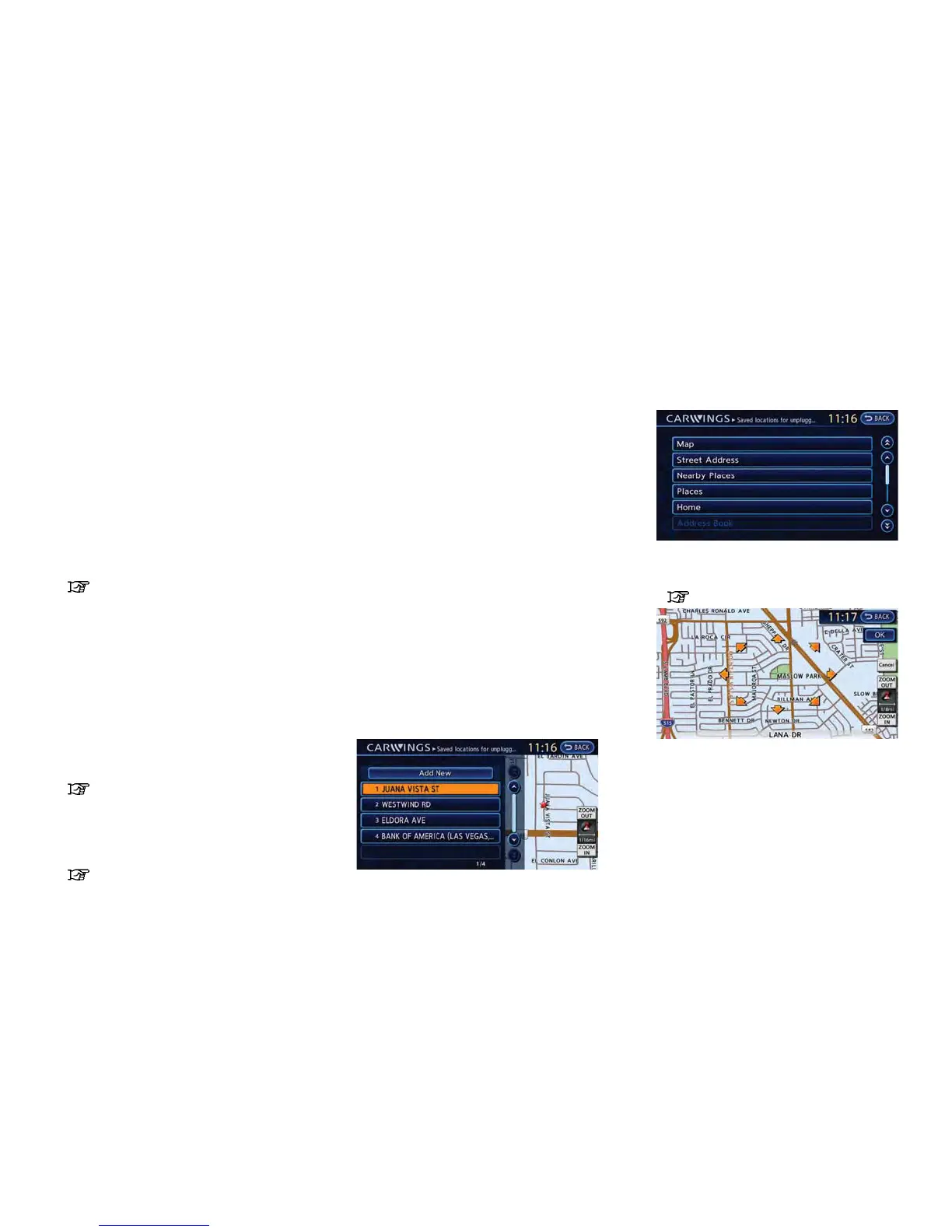
Storing location for receiving charge
connector disconnected notifica-
tions
A maximum of 5 regularly used charging stations
can be registered. If the charging connector is
disconnected in one of these locations, an email
informing you of this will be sent.
1. Touch [Store charging plug reminder loca-
tions].
2. Touch [Add New].
3. Touch the appropriate method to search for
a location.
“Setting destination” (page 3-17)
4. When a preferred location is displayed at
the center of the map, confirm the location
and touch [OK]. A message is displayed,
and the location is stored.
CARWINGS
TM
5-11



 To Next Page