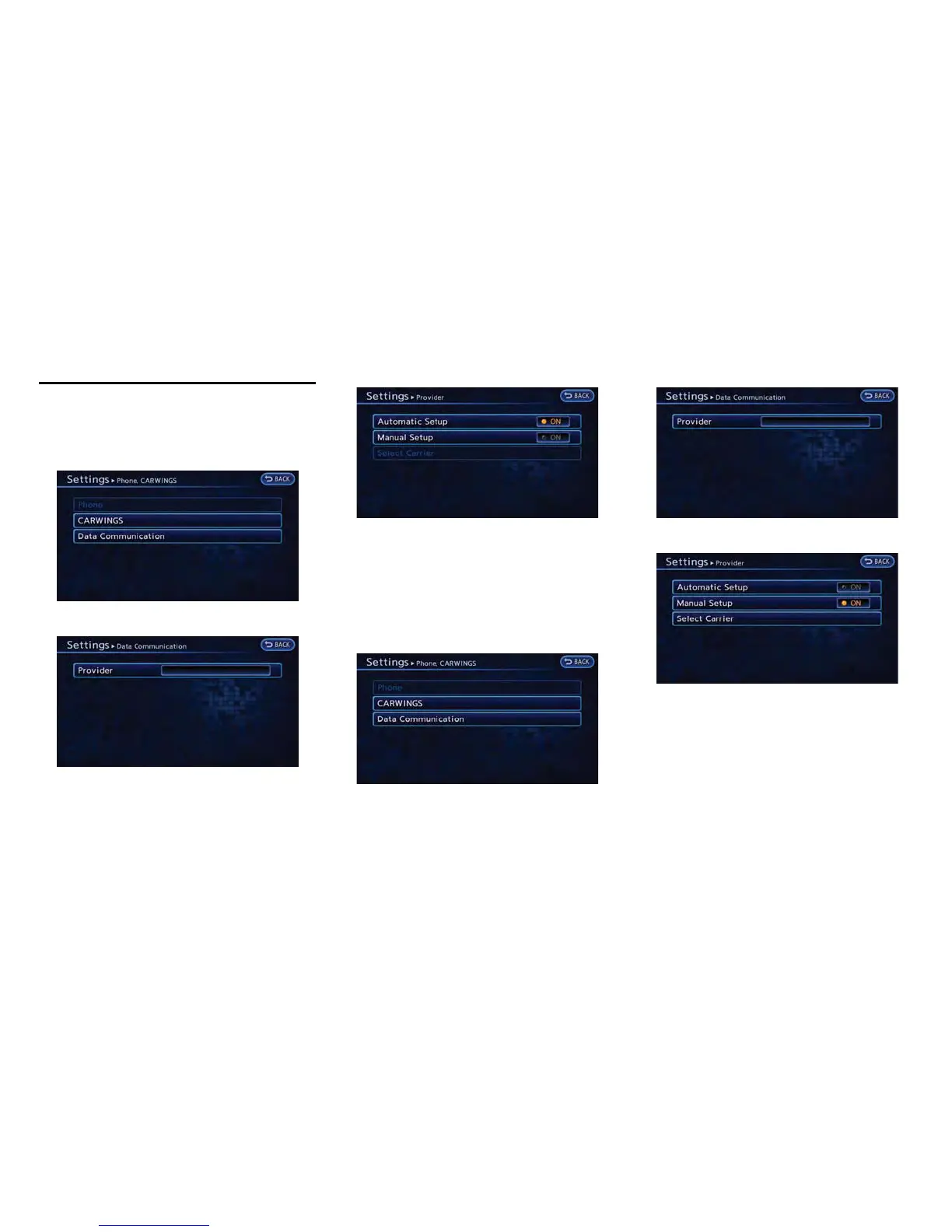
AUTOMATIC CARRIER SETTINGS
1. Push the MENU button and touch [Set-
tings].
2. Touch [Phone & CARWINGS].
3. Touch [Data Communication].
4. Touch [Select Carrier].
5. Touch [Automatic Setup]. The indicator
illuminates when the item is set.
MANUAL CARRIER SETTINGS
1. Push the MENU button and touch [Set-
tings].
2. Touch [Phone & CARWINGS].
3. Touch [Data Communication].
4. Touch [Select Carrier].
5. Touch [Manual Setup]. The indicator illumi-
nates, and then [Select Carrier] can be
touched.
6. Touch [Select Carrier]. A list screen is
displayed.
CARWINGS
TM
5-19
DATA COMMUNICATION SETTINGS



 To Next Page