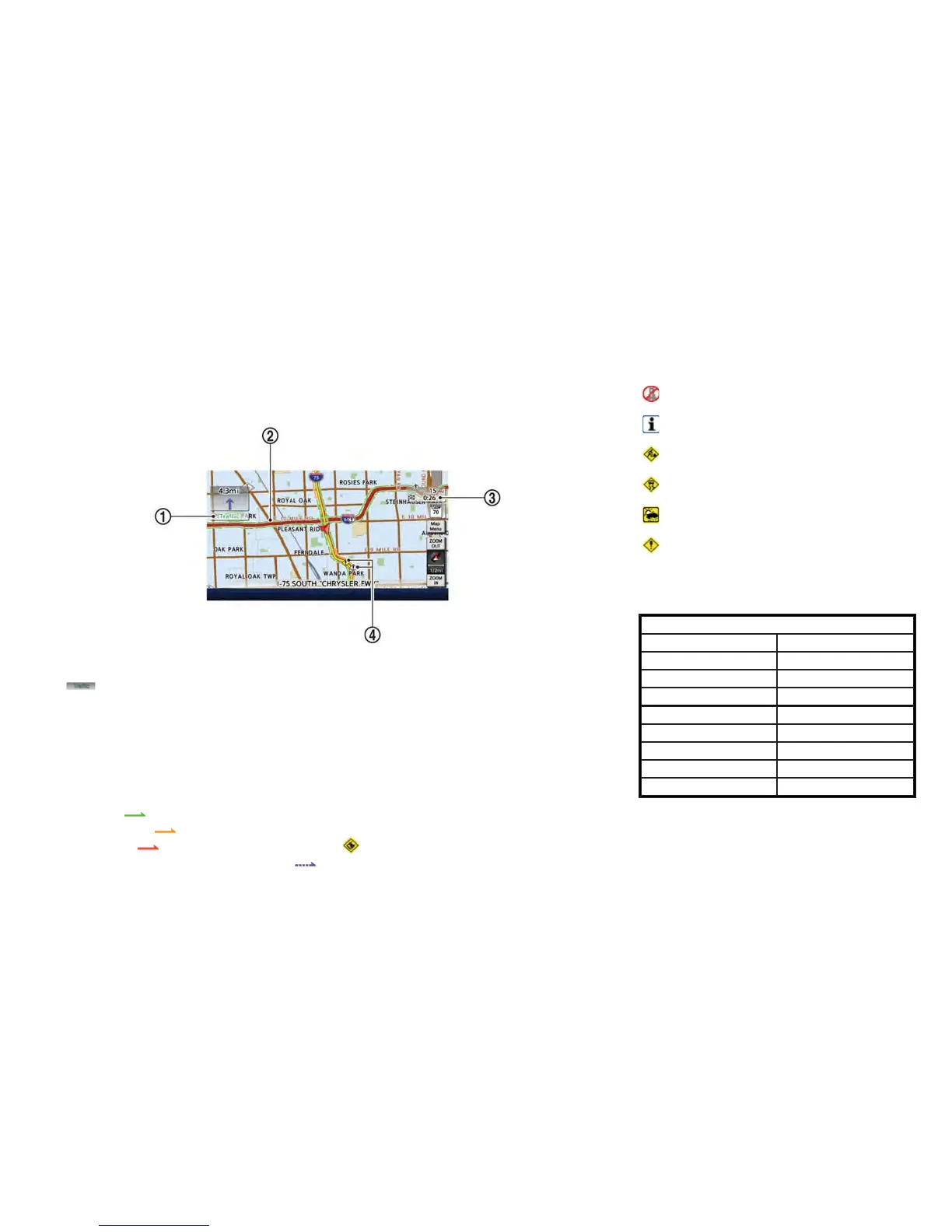
Screen information
*
1
Traffic indicator:
Displays the reception condition of traffic infor-
mation transmitted from the provider.
Green: Reception condition is good.
Gray: Reception condition is poor.
No mark: Subscription to XM NavTraffic
®
service
is not detected.
*
2
Road conditions
Free Flow:
(Green)
Moderate traffic:
(Yellow)
Heavy traffic:
(Red)
Section affected by serious traffic event:
(Purple)
*
3
Estimated travel time to destination calculated
taking traffic information on route info considera-
tion.
*
4
Traffic information icon:
If the route is not already set, all of the traffic
information icons on the map screen are dis-
played in color. When the route is already set, the
icons on the route are displayed in color, and the
icons outside the route are displayed in gray.
: Accident
: Closed road
: Information
: Road work
: Slippery road
: Weather
: Incident
Traffic information display and scale
levels
2D map and Birdview Map
5 miles 10 km
2 miles 4 km
1 mile 2 km
1/2 mile 1 km
1/4 mile 500 m
1/8 mile 200 m
1/16 mile 100 m
1/32 mile 50 m
1/64 mile 25 m
Viewing technical information 6-9



 To Next Page