7-4 Bluetooth
®
Hands-Free Phone System
*
1
Microphone
*
2
button on the steering wheel
CONNECTING PROCEDURE
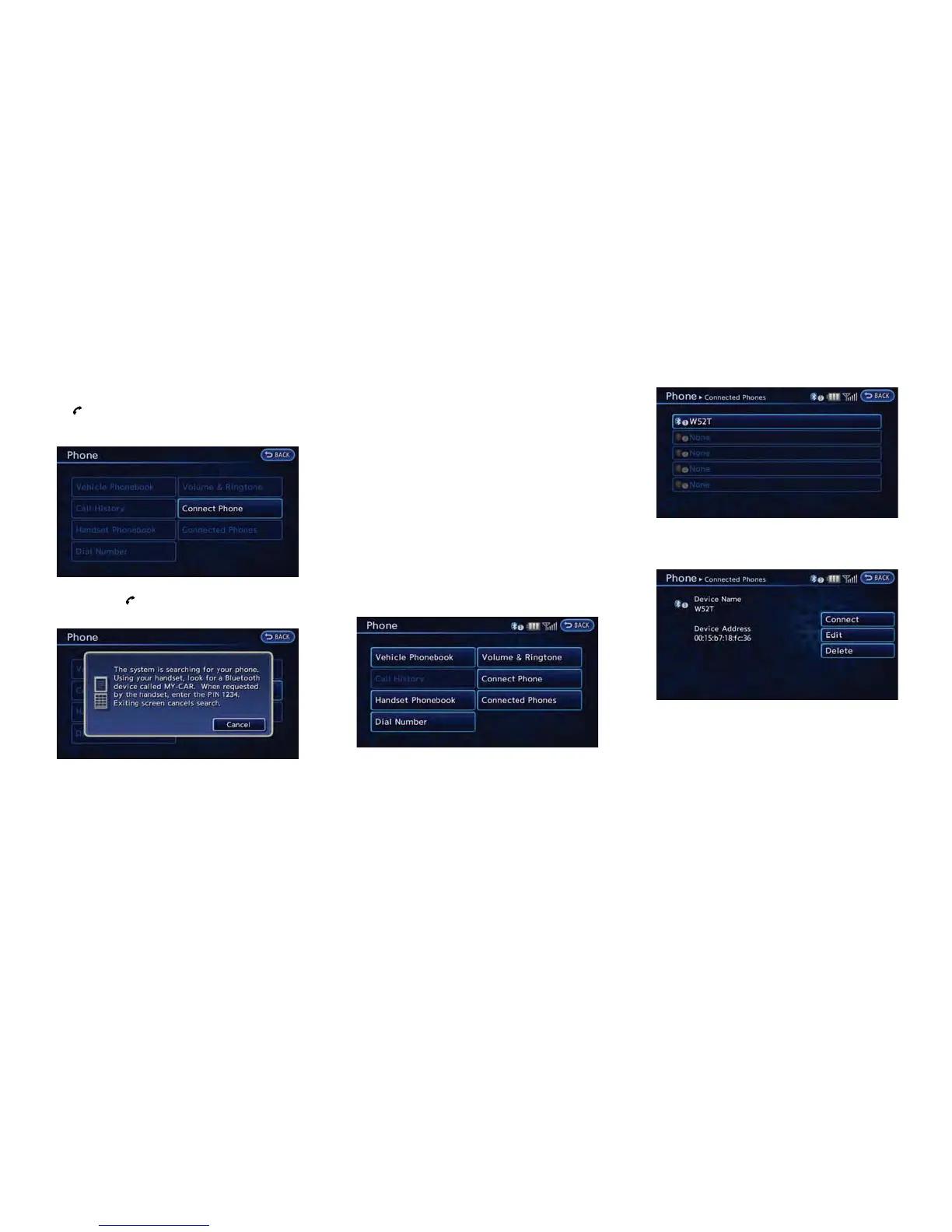
1. Push the button on the steering wheel
and touch [Connect Phone].
2. When a PIN code appears on the screen,
operate the Bluetooth
®
compatible cellular
phone to enter the PIN code.
The procedure for connecting of the cellular
phone varies according to each cellular
phone. See the cellular phone Owner’s
Manual for the details.
You can also visit www.nissanusa.com/blue-
tooth or call NISSAN Consumer Affairs
Department for instructions on pairing
NISSAN recommended cellular phones.
When the connection process is completed,
the screen will return to the Phone menu
display.
PHONE SELECTION
Up to 5 cellular phones can be registered to the
system.
1. Push the MENU button and touch [Phone].
2. Touch [Connected Phones]. The list of the
registered cellular phones is displayed.
3. Touch one of the registered cellular phones
from the list.
4. Touch [Connect]. If you select a cellular
phone that is different from the one currently
connected, the newly selected phone will be
connected to the system.



 To Next Page