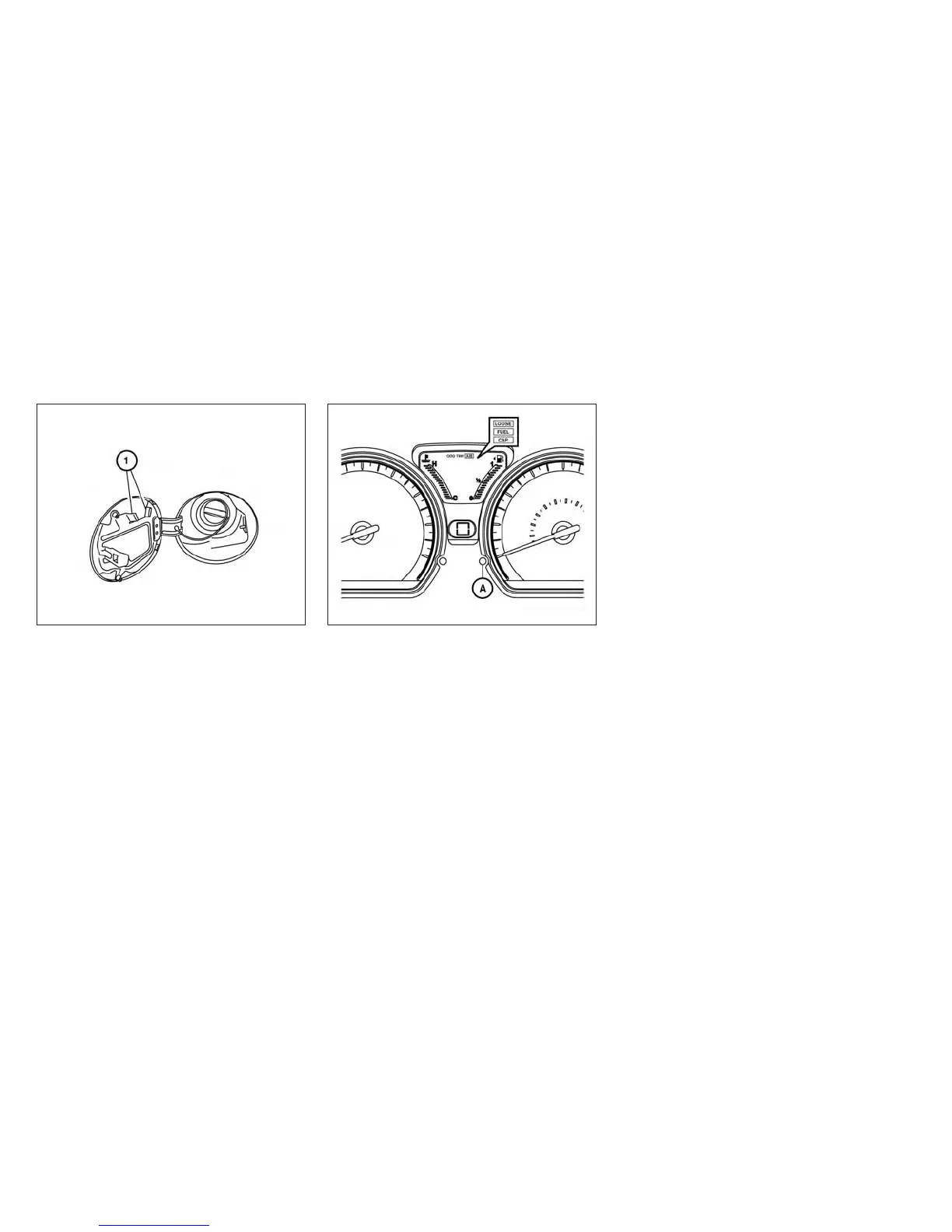
To remove the fuel-filler cap:
1. Turn the fuel-filler cap counterclockwise to
remove.
2. Put the fuel-filler cap on the cap holder
䊊
1
while refueling.
To install the fuel-filler cap:
1. Insert the fuel-filler cap straight into the fuel-
filler tube.
2. Turn the fuel-filler cap clockwise until a
single click is heard.
Loose Fuel Cap warning message
The LOOSE FUEL CAP warning message dis-
plays in the odometer when the fuel-filler cap is
not tightened correctly after the vehicle has been
refueled. It may take a few driving trips for the
message to be displayed. To turn off the warning
message, perform the following:
1. Remove and install the fuel-filler cap as pre-
viously described as soon as possible.
2. Tighten the fuel-filler cap until it clicks.
3. Push the loose fuel cap warning reset button
䊊
A
in the meter for about 1 second to turn off
the LOOSE FUEL CAP warning message
after tightening the fuel-filler cap.
LPD2172 LPD2025
3-28 Pre-driving checks and adjustments



 To Next Page